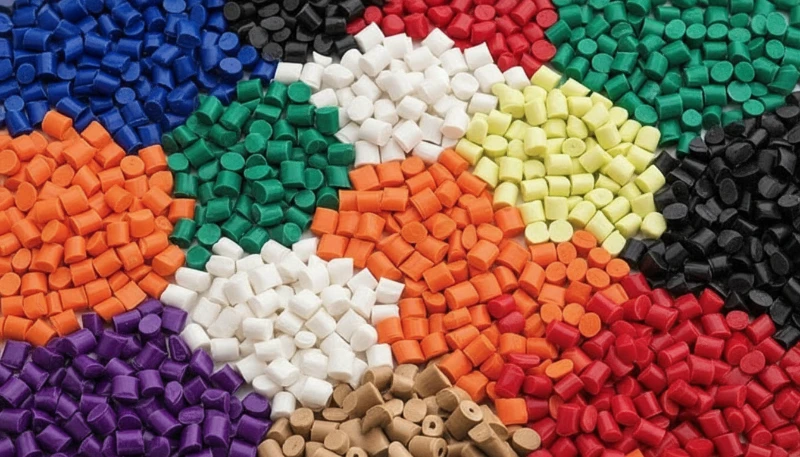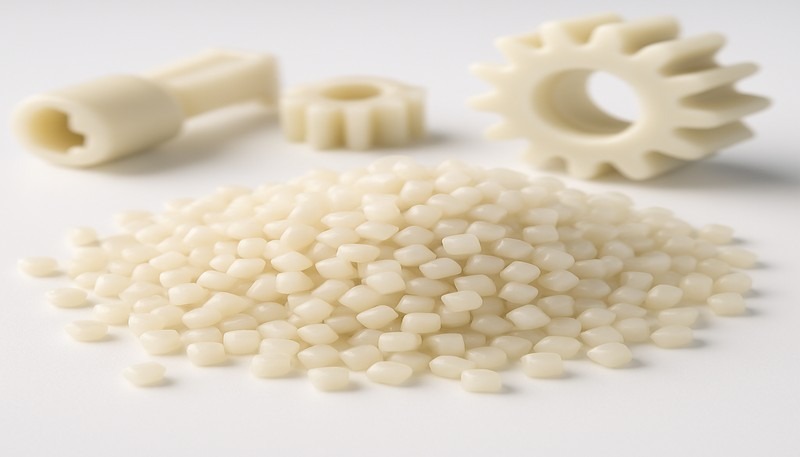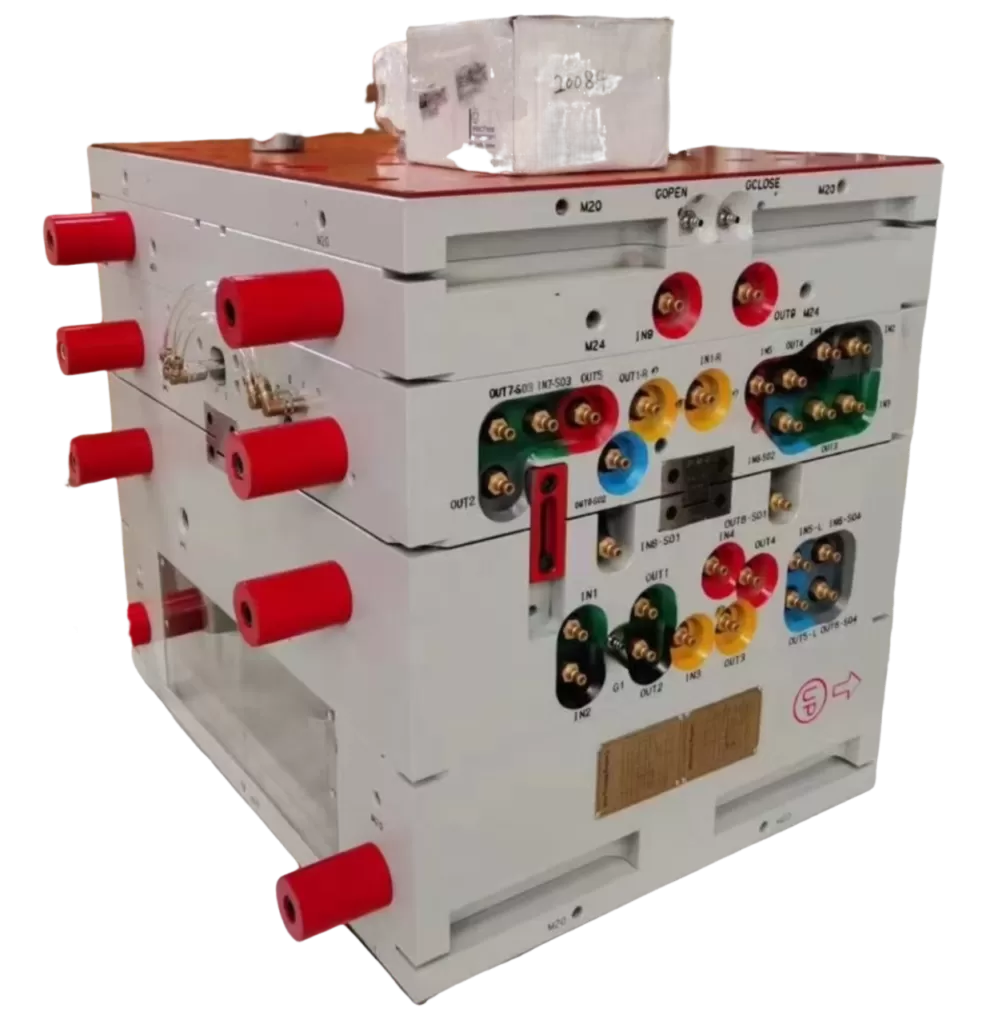
O policarbonato (PC) é um dos termoplásticos de engenharia mais versáteis na moldagem por injeção: transparente, resistente a impactos e termicamente estável. Porém, quem já processou PC em uma linha de produção sabe que ele também é um dos materiais mais difíceis de controlar. Sua alta viscosidade no estado fundido, extrema sensibilidade à umidade e tendência a reter tensões internas fazem com que até pequenos desvios de processo gerem defeitos visíveis: descoloração, estrias prateadas, bolhas, marcas de fluxo e fissuras por tensão.
Neste artigo, percorremos os seis defeitos de moldagem de PC mais comuns que encontramos na produção—descoloração e pontos negros, riscas prateadas e bolhas, marcas de fluxo, pontos de material frio e fissuração por tensão interna. Para cada defeito, explicamos o mecanismo físico, como diagnosticá-lo a partir do padrão do defeito e os ajustes específicos de processo e ferramenta que o resolvem. Estas perspetivas provêm de duas décadas de experiência prática em moldagem de PC em aplicações automóveis, médicas e de eletrónica de consumo.
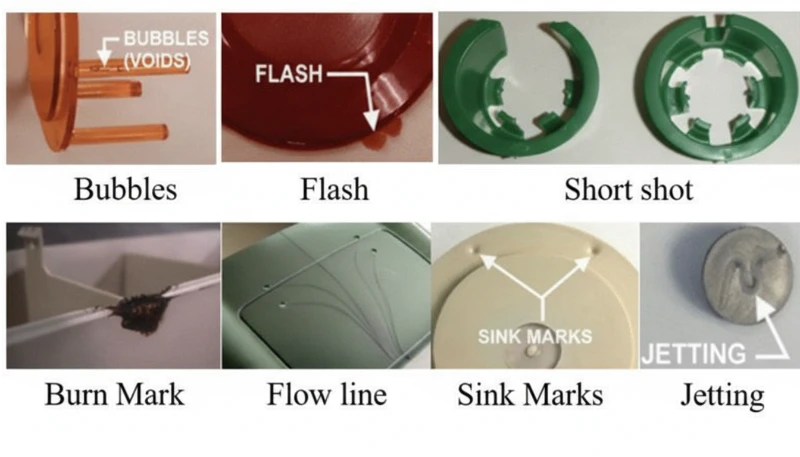
- A sensibilidade do PC à humidade (requer humidade <0.02%) é a causa principal da maioria dos defeitos superficiais
- Maior viscosidade de fusão que o ABS ou PP significa que o PC precisa de controlo preciso da temperatura e pressão
- A tensão interna em peças transparentes de PC pode causar fendilhação retardada dias após a moldagem
- A maioria dos defeitos partilha correções comuns: secagem adequada, temperatura do cilindro otimizada e ventilação do molde adequada
- A experiência da fábrica com mais de 400 materiais mostra que apenas a disciplina de secagem elimina 60% dos defeitos em PC
O que Torna a Moldagem por Injeção em Policarbonato Tão Desafiante?
O policarbonato é um dos termoplásticos de engenharia mais difíceis de moldar por injeção. A sua estrutura molecular única—cadeias lineares com anéis de benzeno, grupos isopropilideno e ligações de carbonato—cria três desafios principais de processamento que o distinguem de materiais mais fáceis como o polipropileno ou o ABS.
Se você estiver comparando fornecedores ou planejando uma compra, nosso guia para seleção de fornecedores de moldagem por injeção aborda a preparação da RFQ, a qualificação e as verificações de risco comercial.
Primeiro, o PC não possui um ponto de fusão definido. Em vez disso, amolece gradualmente em uma ampla faixa de temperatura (230–320 °C), o que significa que a viscosidade do material fundido permanece elevada1 durante todo o processamento normal. Diferentemente dos polímeros semicristalinos, cuja viscosidade cai drasticamente acima do ponto de fusão, o PC se comporta mais como um fluido newtoniano: sua viscosidade é mais sensível às mudanças de temperatura que à taxa de cisalhamento. Pequenos desvios de apenas 10–15 °C podem levar o material de processável a degradado.
Em segundo lugar, o PC é extremamente sensível à humidade. Mesmo quantidades vestigiais de água (acima de 0,02% em peso) causam degradação hidrolítica a temperaturas de processamento, quebrando as cadeias poliméricas e reduzindo as propriedades mecânicas. Isto significa que a pré-secagem completa a 120 °C durante 3–4 horas é obrigatória—não opcional. Na nossa experiência de processamento de mais de 400 materiais na fábrica de Xangai, os defeitos relacionados com a humidade representam cerca de 60% de todos os problemas de moldagem de PC que resolvemos.
Na nossa fábrica de Xangai, com mais de 20 anos de experiência em moldagem por injeção em mais de 400 materiais plásticos, vimos todos os padrões de defeitos de PC imagináveis. O controlo da humidade e a disciplina da temperatura do cilindro são as duas variáveis que separam uma produção de PC tranquila de um evento dispendioso de sucata.
Terceiro, a alta viscosidade do PC fundido exige que o projeto do molde de injeção comporte pressões de injeção mais elevadas, pontos de injeção e canais maiores e ranhuras de exaustão mais profundas que as usadas em plásticos comuns. Canais de fluxo subdimensionados geram calor excessivo por cisalhamento, causando paradoxalmente degradação térmica mesmo com as temperaturas corretas no cilindro. Compreender essas três restrições — alta viscosidade, sensibilidade à umidade e sensibilidade ao cisalhamento — é a base para prevenir todos os defeitos tratados neste artigo.
O que Causa Descoloração, Amarelecimento e Pontos Pretos nas Peças de PC?
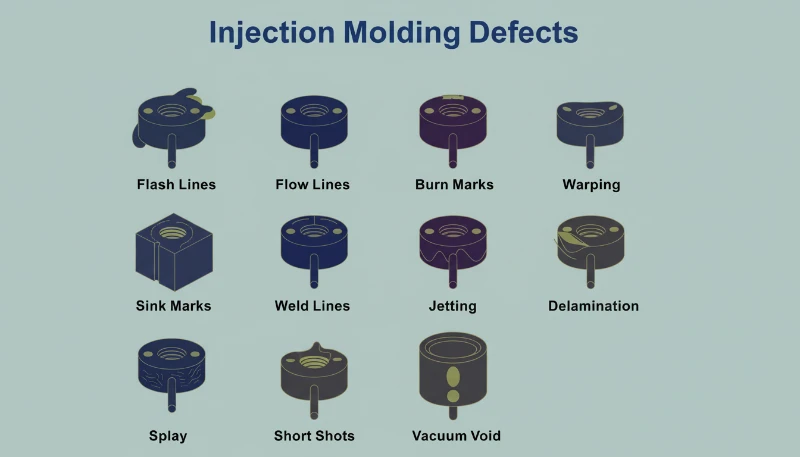
A descoloração é o defeito visual mais comum na moldagem por injeção de PC, causado pela degradação térmica da massa fundida. A causa raiz é tipicamente temperatura excessiva do cilindro, tempo de residência demasiado longo ou zonas mortas no sistema de plastificação onde o material degradado se acumula e é libertado intermitentemente para o fluxo de massa fundida.
A resina de PC pura tem excelente estabilidade térmica e pode tolerar temperaturas até 300 °C sem decomposição significativa. O problema surge quando os processadores usam misturas de PC modificadas, material reciclado ou PC composto com retardadores de chama e cargas. Estes aditivos reduzem consideravelmente a janela de processamento. Por exemplo, as misturas PC/ABS normalmente requerem temperaturas do cilindro em torno de 250 °C, enquanto as misturas PC/PBT para produtos de iluminação necessitam de aproximadamente 280 °C—cada combinação tem o seu próprio limite térmico que, uma vez excedido, desencadeia amarelecimento ou carbonização irreversíveis.
Os pontos pretos são uma variante particularmente frustrante porque podem aparecer intermitentemente — por vezes duas ou três peças seguidas, depois desaparecendo. Este padrão quase sempre indica material morto preso algures no sistema de plastificação: folgas do anel de retenção da rosca, interfaces da ponta da biqueira ou ranhuras na parede do cilindro. O material preso carboniza com o tempo, depois solta-se em pedaços. Quando os produtos de decomposição do PC se acumulam além de um limiar crítico, também catalisam mais decomposição, criando um efeito em cascata — especialmente grave nos graus retardadores de chama.
| Tipo de Material de PC | Temperatura do Cilindro Recomendada | Risco de Degradação Acima |
|---|---|---|
| PC puro (grau ótico) | 270-300 C | 320 C |
| ISO 10993: | 240-260 C | 280 C |
| PC com retardador de chama | 230-260 C | 280 C |
| Mistura PC/PBT (iluminação) | 260-280 C | 300 C |
| PC Reciclado | 240-270 ºC | 290 ºC (variável) |
As correções são sistemáticas. Primeiro, confira os ajustes de temperatura do cilindro de acordo com o grau do material e reduza as temperaturas das zonas de alimentação e compressão em incrementos de 5–10 °C até cessar a descoloração. Segundo, garanta uma secagem completa: 120 °C por 3–4 horas em secador desumidificador, sem ultrapassar 10 horas para evitar o envelhecimento do material. Terceiro, inspecione o sistema de plastificação em busca de zonas mortas: remova e limpe o bico, a válvula de retenção e a rosca se o material expelido ao ar apresentar descoloração mesmo na temperatura correta. Por fim, purgue o cilindro com um material termicamente estável (PS ou PE) antes e depois de cada produção e nunca deixe PC na temperatura de processamento durante paradas prolongadas; reduza o cilindro para 160 °C (transição vítrea do PC2) ou menos durante as esperas térmicas.
"Baixar a temperatura do cilindro é sempre o primeiro passo quando as peças de PC apresentam amarelecimento."True
Reduzir a temperatura do cilindro é a primeira resposta correta, porque o calor excessivo é a causa mais comum do amarelecimento do PC. Contudo, se a descoloração persistir após uma redução de 10-15 C, é provável que a causa principal passe a ser material estagnado no sistema de plastificação ou matéria-prima contaminada.
"A utilização de uma contrapressão mais elevada melhora sempre a qualidade do fundido de PC."False
Uma contrapressão excessiva gera calor de corte adicional no cilindro, o que pode acelerar a degradação térmica do PC. A abordagem correta consiste numa contrapressão moderada (0.5-1.5 MPa), combinada com uma secagem adequada e um perfil de temperatura do cilindro apropriado.
Por que Aparecem Estrias Prateadas e Bolhas nos Produtos de PC?
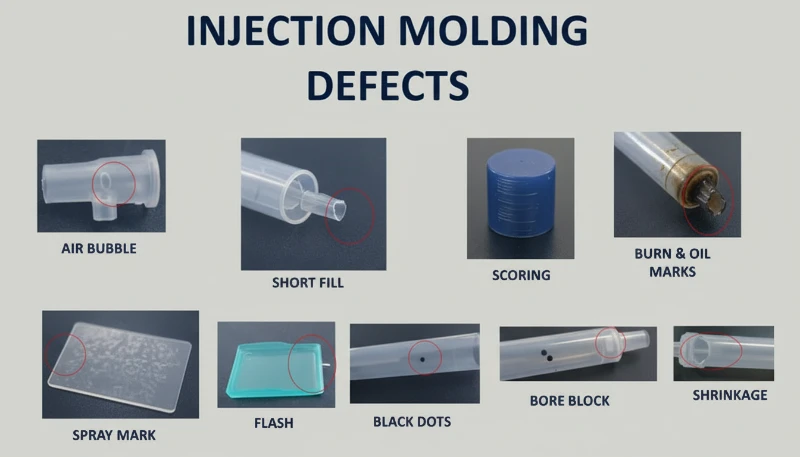
As estrias prateadas (também designadas por estrias de gás) e as bolhas são defeitos superficiais e internos causados por gás aprisionado no fundido durante o enchimento da cavidade. Na moldação por injeção de PC, as quatro fontes de gás são vapor de água, ar arrastado, gás de decomposição térmica e gás de solvente — o vapor de água e o gás de decomposição representam a grande maioria dos casos.
As estrias prateadas formam-se quando o gás dissolvido no fundido pressurizado escapa para a superfície do produto à medida que a pressão na cavidade diminui após o enchimento. O gás libertado deixa pequenas bolhas alongadas que brilham sob a luz, sempre alinhadas com a direção do fluxo do material. As bolhas, por outro lado, são bolsas de gás retidas na espessura da parede, particularmente visíveis em peças transparentes de PC. As bolhas de vácuo são diferentes: não resultam de gás, mas da retração volumétrica quando uma pressão de manutenção insuficiente deixa um vazio em secções espessas.
Como diagnosticar a origem do gás responsável pelas estrias prateadas
Para diagnosticar qual o gás responsável, é necessário interpretar o padrão do defeito. Bolhas superficiais dispersas aleatoriamente indicam vapor de água — a causa mais comum no PC, porque o material é muito higroscópico. Aglomerados finos e densos de bolhas concentrados junto ao ponto de injeção, num padrão radial ou em leque, indicam ar aprisionado, normalmente devido a uma velocidade excessiva de retração do fuso ou a contrapressão insuficiente. A descoloração que acompanha as estrias prateadas indica gás de decomposição proveniente de fundido sobreaquecido. O processo de diagnóstico é importante porque cada fonte de gás exige uma correção diferente.
No caso de estrias prateadas provocadas pela humidade, a solução é simples: assegure a secagem a 120 °C durante 3–4 horas com um secador desumidificador. Verifique a eficácia efetuando uma purga ao ar — o fundido extrudido deve ser contínuo, liso e sem vapor branco. Para o aprisionamento de ar, reduza a velocidade do fuso, aumente a contrapressão e prolongue o tempo de plastificação durante a fase de arrefecimento. Para gases de decomposição, reduza a temperatura do cilindro, secção a secção, a partir do bico, e verifique se os tempos de residência são excessivamente longos (a utilização de equipamento sobredimensionado para peças pequenas é uma causa frequente).
As bolhas de vácuo requerem uma abordagem diferente porque são um fenómeno de retração, não um problema de gás. Aumente a pressão de manutenção e prolongue o tempo de manutenção para compactar mais material na secção espessa. Posicione o ponto de injeção na parede mais espessa para assegurar a transmissão da pressão. Aumente localmente a temperatura do molde na zona do vazio para abrandar a solidificação e permitir a compensação da retração. Nos produtos transparentes, o arrefecimento lento em água quente após a moldação também pode reduzir a formação de bolhas de vácuo.
"O tratamento térmico após a moldação a 120 C durante 2 horas pode reduzir significativamente a tensão interna nas peças de PC."True
O tratamento térmico a aproximadamente 120 C permite que os segmentos das cadeias moleculares do PC recuperem mobilidade e relaxem a deformação elástica congelada. As moléculas orientadas regressam a um estado mais aleatório, reduzindo as tensões de orientação e de temperatura. Esta é uma prática habitual em aplicações de PC óticas e críticas em termos de tensões.
"As bolhas de vácuo nas peças de PC são causadas por ar retido."False
As bolhas de vácuo são, na realidade, causadas pela contração volumétrica durante o arrefecimento, e não por ar aprisionado. Quando a pressão de manutenção é insuficiente ou o ponto de injeção solidifica demasiado cedo, o núcleo ainda fundido contrai-se e afasta-se da camada superficial já solidificada, criando um vazio. A solução consiste em aumentar a pressão e o tempo de manutenção, e não a ventilação.
O que São Marcas de Impressão Digital e Linhas de Turbulência — e Como as Corrige?
As marcas semelhantes a impressões digitais e as linhas de turbulência são defeitos de escoamento causados por uma viscosidade do PC fundido demasiado elevada relativamente à velocidade de injeção e à temperatura do molde. O fundido enche a cavidade num padrão de aderência-deslizamento, deixando linhas onduladas perpendiculares à direção do escoamento (impressões digitais) ou estrias radiais junto do ponto de injeção (turbulência).
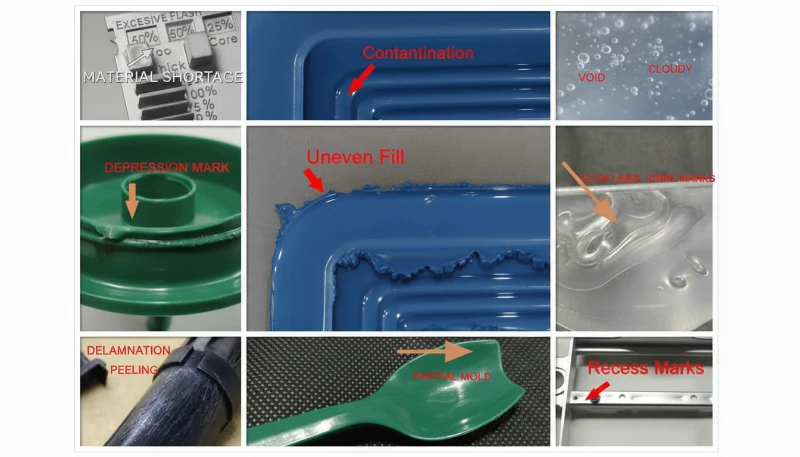
As marcas semelhantes a impressões digitais surgem quando a velocidade e a pressão de injeção são demasiado baixas para a viscosidade do fundido. A frente do fluxo fundido entra em contacto com a parede fria do molde, solidifica e contrai. O fundido quente atrás desta frente empurra a camada contraída para a frente; em seguida, essa camada também arrefece e contrai. Este ciclo alternado de avanço e solidificação cria o padrão ondulado característico semelhante a uma impressão digital humana. O efeito é mais visível em superfícies de PC grandes e planas — por exemplo, tampas de visores ou painéis de controlo.
As marcas de turbulência estão relacionadas, mas são distintas. Surgem como linhas de fluxo irregulares que irradiam da entrada, causadas pelo fundido que atinge a parede da cavidade a alta velocidade e desliza sobre a superfície fria antes de estabilizar num fluxo laminar. Este defeito é particularmente comum quando o projeto da entrada cria uma transição brusca de velocidade — por exemplo, uma entrada pequena que alimenta uma cavidade grande e espessa. A principal distinção: as marcas tipo impressão digital são perpendiculares ao fluxo, enquanto as linhas de turbulência são paralelas.
Ambos os defeitos têm o mesmo conjunto de soluções. Aumente as temperaturas do bico e da parte dianteira do cilindro para reduzir a viscosidade da massa fundida—este é o ajuste mais eficaz. Aumente a temperatura do molde, sobretudo no local onde aparecem as marcas; para peças de PC com requisitos estéticos críticos, é prática habitual utilizar um controlador da temperatura do molde regulado para 100–120 °C. Aumente a velocidade de injeção para mudar o padrão de enchimento de aderência-deslizamento para escoamento contínuo; a injeção em várias fases permite ajustar a velocidade secção a secção, incidindo na área problemática sem provocar rebarbas noutros locais. No molde, aumente os pontos de injeção e os canais para reduzir a resistência ao escoamento e assegure uma ventilação e poços de material frio adequados.
Com 47 máquinas de injeção entre 90T e 1850T e simulação MOLDFLOW para otimizar os pontos de injeção e os canais, resolvemos normalmente os problemas de marcas de fluxo durante a fase de DFM—antes de o aço ser cortado. A simulação deteta as transições de velocidade que causam marcas de turbulência, permitindo reformular os pontos de injeção antes do fabrico das ferramentas.
Como se Formam as Manchas de Material Frio e como as Pode Prevenir?
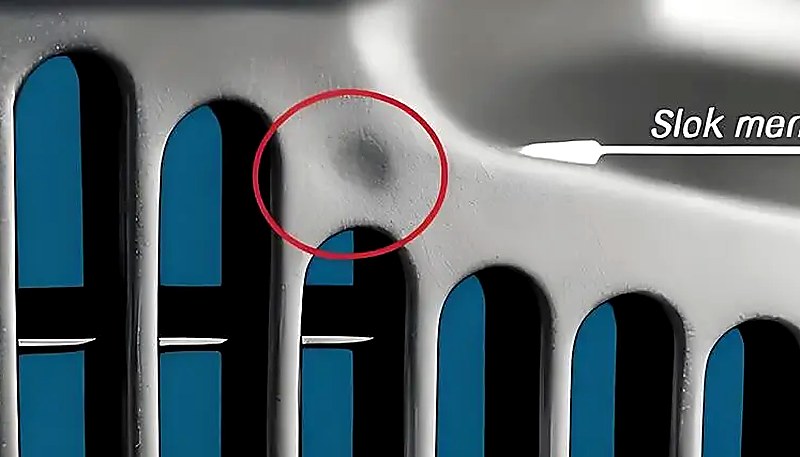
As manchas de material frio são marcas esbranquiçadas, brilhantes ou em forma de verme junto ao ponto de injeção, causadas pela entrada de material fundido parcialmente solidificado na cavidade. Formam-se quando a frente de fluxo perde demasiado calor na ponta do bico, no canal de alimentação ou no ponto de injeção antes de começar o enchimento da cavidade — ou quando uma pressão de manutenção excessiva força a entrada na peça de material do canal já arrefecido.
Existem dois mecanismos distintos. O primeiro é o material frio frontal: o fundido na ponta do bico e na entrada do canal arrefece entre injeções porque o bico está em contacto com a placa fria do molde. Quando a injeção começa, este material arrefecido entra primeiro na cavidade. Em peças de paredes finas, espalha-se sob a forma de manchas turvas com aspeto de fumo ou pasta. Em peças de paredes espessas, forma uma cicatriz curva semelhante a uma minhoca. O segundo mecanismo é o material frio por contrapressão: um tempo e uma pressão de manutenção excessivos empurram o material já arrefecido do canal e do ponto de injeção para a peça, criando um pequeno ponto circular brilhante junto ao ponto de injeção.
A prevenção é simples, mas exige atenção aos pormenores. Instale um poço para material frio na extremidade de cada canal—este retém o material frio que avança antes de entrar na cavidade. Aumente a temperatura do bico para reduzir a perda de calor na ponta. Aumente a temperatura do molde para diminuir a diferença entre as temperaturas da massa fundida e da superfície do molde. Reduza a velocidade de injeção no início do enchimento para evitar a fratura da massa fundida no ponto de injeção e, em seguida, aumente-a durante o enchimento principal. Otimize a posição, a dimensão e a forma do ponto de injeção para evitar transições bruscas de velocidade. Para zonas frias provocadas pela pressão de manutenção, reduza o tempo e a pressão de manutenção ao mínimo necessário para assegurar a estabilidade dimensional. Garanta também uma secagem rigorosa do material—a humidade residual no material frio pode agravar o defeito visual.
Por Que é que a Tensão Interna Fissura Produtos de PC Transparentes?
A tensão interna nos produtos de PC consiste em orientação molecular retida e tensão causada por refrigeração não uniforme. Pode provocar empeno, menor transparência ótica e fissuração tardia sob tensão, dias ou semanas após a moldação — as peças transparentes de PC são o primeiro sinal de alerta.
Dois mecanismos principais criam tensão interna. A tensão de orientação resulta do alongamento das cadeias de polímero durante o fluxo e do seu congelamento antes de poderem regressar a uma configuração aleatória em novelo. Uma pressão de injeção mais elevada, uma velocidade de injeção superior e um tempo de manutenção mais longo aumentam a orientação ao aplicar mais cisalhamento ao fundido. A tensão térmica resulta da grande diferença de temperatura entre o núcleo quente do fundido e a parede fria do molde. Como o PC tem elevada capacidade térmica específica e baixa condutividade térmica, a superfície solidifica muito antes do interior — criando tensão de compressão no exterior e tensão de tração no interior.
A consequência prática é que uma peça de PC pode parecer perfeita imediatamente após a moldação, mas desenvolver microfissuras em poucos dias, sobretudo quando exposta a solventes orgânicos (agentes de limpeza, adesivos) ou a temperaturas elevadas. No nosso ambiente de produção, vimos lentes transparentes de PC fissurarem durante a montagem simplesmente porque o operador utilizou um toalhete de limpeza à base de álcool — a tensão interna já se encontrava no limiar de falha e o solvente reduziu-o apenas o suficiente para iniciar a fissuração.
A nossa unidade interna de fabrico de moldes (100+ conjuntos de moldes por mês) permite-nos otimizar a localização dos pontos de injeção, a geometria dos canais e a disposição dos canais de refrigeração especificamente para peças de PC sensíveis a tensões. Em conjunto com os sistemas de qualidade ISO 9001 e ISO 13485, detetamos problemas de tensões internas durante a inspeção da primeira peça através de análise com luz polarizada.
"A análise com luz polarizada permite detetar tensões internas em peças transparentes de PC antes de estas fissurarem."True
Sob luz polarizada, o PC sujeito a tensões apresenta padrões de birrefringência que revelam orientação molecular congelada e tensões de arrefecimento desiguais. Este método de inspeção não destrutivo permite às fábricas detetar problemas de tensão durante a inspeção da primeira peça, muito antes de as peças falharem em serviço.
"O recozimento pós-moldação a 120 C reduz as tensões internas nas peças transparentes em PC."False
O recozimento a 120 C reduz efetivamente a tensão interna, ao permitir o relaxamento das cadeias moleculares. No entanto, não substitui parâmetros de moldação adequados — apenas pode reduzir a tensão criada, não eliminá-la por completo. A abordagem mais eficaz consiste em minimizar a tensão durante a moldação através de definições corretas de temperatura e pressão e, em seguida, utilizar o recozimento como etapa final de garantia da qualidade para componentes críticos.
A redução das tensões internas exige uma abordagem global. Aumente a temperatura do fundido para reduzir a viscosidade e a orientação durante o fluxo. Aumente a temperatura do molde para permitir um arrefecimento mais lento e uniforme e dar tempo às moléculas orientadas para relaxarem. Reduza a pressão de injeção ao mínimo necessário para o enchimento completo. Minimize o tempo de compactação — a sobrecompactação contribui significativamente para as tensões de orientação. Utilize uma injeção de velocidade variável: enchimento rápido para evitar defeitos de fluxo e, em seguida, velocidade reduzida durante a compactação para diminuir o alinhamento molecular. Em peças com insertos metálicos, pré-aqueça os insertos até aproximadamente 200 °C para reduzir o desfasamento térmico. Por fim, um tratamento térmico pós-moldação a 120 °C durante cerca de 2 horas permite que os segmentos das cadeias recuperem mobilidade e relaxem a deformação congelada — esta é uma prática habitual em componentes de PC de grau ótico.
"Reduzir a pressão de injeção ao mínimo necessário para encher a cavidade ajuda a evitar tensões internas nas peças de PC."True
Uma pressão de injeção excessiva aumenta a orientação molecular e a tensão de corte, o que aumenta a tensão interna e o risco de empeno e fissuração sob tensão. A pressão mínima que permite um enchimento completo, combinada com uma temperatura adequada do fundido, produz peças de PC com a menor tensão.
"Aumentar a temperatura do molde acima de 100 °C melhora sempre o acabamento superficial das peças de PC."False
Embora uma temperatura mais elevada do molde possa reduzir as marcas de fluxo e melhorar o brilho da superfície, ultrapassar 100 °C durante ciclos prolongados pode causar tempos de arrefecimento excessivamente longos e provocar a degradação térmica da resina de PC junto ao ponto de injeção. O intervalo ideal de temperatura do molde para PC situa-se normalmente entre 80–100 °C, equilibrando a qualidade do acabamento com a eficiência do ciclo e a estabilidade da peça.
Que Parâmetros de Processo Deve Monitorizar para Minimizar Defeitos em PC?
Existem seis parâmetros fundamentais para evitar defeitos no PC: secagem, temperatura do cilindro, velocidade de injeção, pressão de manutenção e temperatura do molde. A configuração correta destes parâmetros elimina a grande maioria dos problemas de descoloração, estrias prateadas, bolhas, marcas de fluxo e tensões internas.
A secagem é indispensável. O PC exige teor de umidade inferior a 0,02%3, obtido com um secador desumidificador a 120 °C por 3–4 horas. Secar por mais de 10 horas pode degradar o material, sobretudo nos graus retardantes de chama. Antes de iniciar a produção, verifique a eficácia da secagem inspecionando o material expelido ao ar. Essa única etapa evita a maioria das estrias prateadas e bolhas superficiais.
A temperatura do cilindro tem de ser definida como um perfil, não como um valor único. Para PC puro, um perfil típico é 250 °C (alimentação) → 270 °C (compressão) → 285 °C (dosagem) → 290 °C (bico). Cada classe modificada tem o seu próprio intervalo — PC/ABS a cerca de 20 °C menos, PC/PBT a temperaturas semelhantes ou ligeiramente superiores. O essencial é começar no limite inferior do intervalo recomendado e aumentar apenas se surgirem marcas de fluxo ou injeções incompletas. Nunca defina todas as zonas para a mesma temperatura; um gradiente adequado assegura uma plastificação gradual, sem fusão prematura na zona de alimentação (que bloqueia a saída do ar) nem pré-aquecimento insuficiente (que retém ar no fundido).
| Parâmetro | Intervalo recomendado (PC puro) | Defeitos evitados |
|---|---|---|
| Temperatura de secagem | 120 C, 3-4 h, desumidificado | Estrias prateadas, bolhas superficiais |
| Temperatura do cilindro (bico) | 280-295 C | Injeções incompletas, marcas de fluxo |
| Temperatura do molde | 80-120 ºC | Marcas de impressões digitais, tensão interna |
| Velocidade de injeção | Multi-estágio: enchimento rápido, embalagem lenta | marcas de turbulência, sobre-embalamento |
| Pressão de retenção | 60-80% da pressão de injeção | bolhas de vácuo, marcas de encolhimento |
| Tempo de retenção | Até ao congelamento do canal de alimentação (3-8 s) | vazios por retração, deriva dimensional |
O tempo de residência do fundido merece atenção especial. Utilizar equipamento de grande dimensão para pequenas peças de PC é um erro comum — a grande relação entre o peso do disparo e a capacidade do cilindro significa que o material permanece à temperatura de processamento durante demasiado tempo, acumulando danos térmicos. Como regra geral, o peso do disparo deve ser pelo menos 30–40% da capacidade do cilindro. Se tiver de produzir peças pequenas em máquinas grandes, utilize um parafuso de diâmetro menor ou aceite que purgas frequentes e mudanças de cor são inevitáveis. Finalmente, a temperatura do molde é mais importante para o PC do que para a maioria dos plásticos. Trabalhar com moldes frios (abaixo de 80 °C) acelera a solidificação da superfície, aumenta o stress interno e amplifica as marcas de fluxo. Para peças transparentes ou críticas em termos de aparência, uma temperatura do molde de 100–120 °C com um controlador de temperatura é o padrão da indústria.
Quais São as Perguntas Mais Comuns Sobre Defeitos na Moldagem por Injeção de PC?
Perguntas mais frequentes
Qual é a temperatura de secagem ideal para policarbonato antes da moldagem por injeção?
O policarbonato deve ser seco a 120 °C utilizando um secador desumidificador durante 3 a 4 horas para obter um teor de humidade inferior a 0,02% antes da moldagem por injeção. Este é um requisito não negociável para o processamento bem-sucedido do PC — omitir ou encurtar a etapa de secagem é a causa mais comum de defeitos superficiais. A secagem além de 10 horas arrisca a degradação do material, especialmente para graus retardadores de chama que são mais sensíveis termicamente. Verifique sempre a eficácia com um teste de tiro de ar antes do início da produção — o fundido extrudido deve ser contínuo, liso e livre de vapor branco. Utilizar um secador de funil padrão sem desumidificação é insuficiente para o PC.
O que causa manchas pretas em peças moldadas por injeção de policarbonato?
Manchas pretas em peças moldadas por injeção de PC são tipicamente causadas por material carbonizado preso em zonas mortas do sistema de plastificação — como folgas do anel de retenção da rosca, interfaces da ponta da boquilha ou ranhuras na parede do cilindro. O material preso degrada-se ao longo do tempo e liberta-se intermitentemente para o fluxo de fundido, produzindo manchas escuras que aparecem aleatoriamente em várias peças e depois desaparecem. A desmontagem e limpeza regular do sistema de plastificação, combinada com procedimentos adequados de purga do cilindro usando PS ou PE antes e depois de cada corrida de produção, previne eficazmente este problema. Nunca deixe o material de PC parado à temperatura de processamento durante paragens prolongadas da máquina.
Qual é a temperatura recomendada para moldagem por injeção de policarbonato?
Para policarbonato puro, o perfil de temperatura recomendado do cilindro é de 250 °C (zona de alimentação) a 285-295 °C (boquilha), com temperatura do molde a 80-120 °C. A chave é utilizar um gradiente de temperatura entre as zonas em vez de um único ponto de ajuste, garantindo uma plastificação gradual sem fusão prematura na zona de alimentação. Os graus modificados têm janelas diferentes: as misturas PC/ABS funcionam aproximadamente 20 °C mais baixas, enquanto as misturas PC/PBT podem requerer temperaturas semelhantes ou ligeiramente superiores. Comece sempre no extremo inferior da gama recomendada e aumente apenas se aparecerem defeitos de fluxo.
Como se evita o stress interno em produtos transparentes de PC?
A prevenção de tensões internas em peças transparentes de PC requer uma abordagem multifacetada. Utilize uma temperatura de fusão mais elevada para reduzir a viscosidade e a orientação molecular durante o fluxo. Aumente a temperatura do molde para 100-120 °C para um arrefecimento mais lento e uniforme, permitindo que as moléculas orientadas tenham tempo para relaxar. Minimize a pressão de injeção e de retenção ao mínimo necessário para um preenchimento completo. Utilize injeção de velocidade variável com enchimento rápido seguido de embalagem lenta. O tratamento térmico pós-molde a 120 °C durante aproximadamente 2 horas é uma prática padrão para componentes de grau ótico, para relaxar a orientação molecular congelada.
Por que aparecem riscos prateados em peças moldadas por injeção de PC?
Riscos prateados em peças de PC são causados pela fuga de gás para a superfície do produto durante ou após o enchimento da cavidade, deixando pequenas bolhas alongadas que brilham sob a luz. A fonte de gás mais comum é o vapor de água do material secado de forma inadequada — isto representa a maioria dos casos. O gás de decomposição térmica devido à temperatura excessiva do cilindro é a segunda causa mais comum. Riscos prateados finos e densos concentrados perto do ponto de injeção num padrão radial indicam ar arrastado devido à velocidade excessiva do parafuso ou pressão de retorno insuficiente. A secagem adequada a 120 °C durante 3-4 horas elimina a maioria dos casos causados por humidade.
Os defeitos de moldagem por injeção de policarbonato podem ser corrigidos ajustando apenas os parâmetros da máquina?
Muitos defeitos do PC — particularmente estrias prateadas, descoloração e marcas de fluxo — podem ser resolvidos apenas através de ajustes dos parâmetros da máquina, principalmente condições de secagem, perfil de temperatura do cilindro e otimização da velocidade de injeção. No entanto, defeitos recorrentes como manchas persistentes de material frio ou marcas de turbulência frequentemente requerem modificações no molde, como alargamento de canais de alimentação, canais de ventilação adicionais ou poços de massa fria. A redução da tensão interna também pode exigir alterações de design para uniformidade da espessura da parede e pré-aquecimento de insertos. A abordagem mais eficaz combina a otimização de parâmetros com um design adequado do molde desde o início.
Qual é a diferença entre bolhas e bolhas de vácuo em peças de PC?
Bolhas em peças de PC são vazios preenchidos com gás causados por vapor de água, ar arrastado ou gás de decomposição térmica aprisionado durante o enchimento da cavidade. Estão presentes imediatamente após a abertura do molde e não crescem ao longo do tempo. As bolhas de vácuo são fundamentalmente diferentes — são vazios induzidos por contração que se formam durante o arrefecimento quando a pressão de retenção é insuficiente para compensar a contração volumétrica em secções espessas. As bolhas de vácuo podem aparecer ou aumentar após a desmoldagem à medida que o interior continua a arrefecer e a contrair. A diferença de diagnóstico determina se se aborda o teor de gás através da secagem e temperatura, ou a compactação através da pressão de retenção.
Como Pode Obter Apoio Especializado para o Seu Projeto de Moldagem por Injeção em PC?
A ZetarMold é o parceiro de fabrico para projetos de moldagem por injeção de policarbonato que exigem zero defeitos. A nossa equipa de engenharia traz mais de 20 anos de experiência no processamento de PC e mais de 400 materiais para cada projeto, desde a secagem do material e o perfil de temperatura até ao design do ponto de injeção e alívio de tensões. As nossas instalações internas de ferramentaria, capacidade de simulação MOLDFLOW e sistemas de qualidade certificados ISO significam que as suas peças de PC são projetadas para qualidade desde a fase de DFM em diante.
Precisa de um orçamento para seu projeto de moldagem por injeção de policarbonato? Obtenha preços competitivos, análise de DFM e cronograma de produção com nossa equipe de engenharia. Solicite hoje mesmo um orçamento gratuito ou consulte nosso Guia completo de moldagem por injeção para conhecer todo o processo.
a viscosidade do material fundido permanece elevada: significa que a viscosidade do PC fundido é mais sensível às mudanças de temperatura que à taxa de cisalhamento, comportando-se de modo semelhante a um fluido newtoniano durante o processamento. ↩
transição vítrea do PC: o policarbonato apresenta temperatura de transição vítrea (Tg) de aproximadamente 147–150 °C, que determina a temperatura mínima de espera térmica. ↩
teor de umidade inferior a 0,02%: antes do processamento, o PC deve ter teor de umidade abaixo de 0,02% (200 ppm) para evitar degradação hidrolítica nas temperaturas de moldagem. ↩