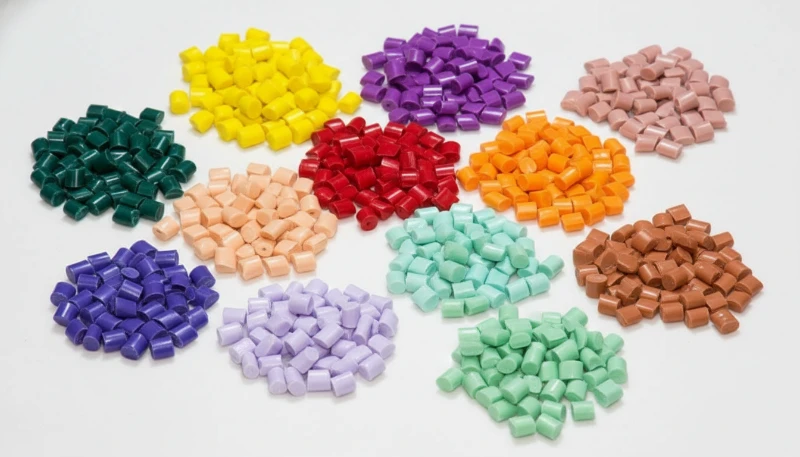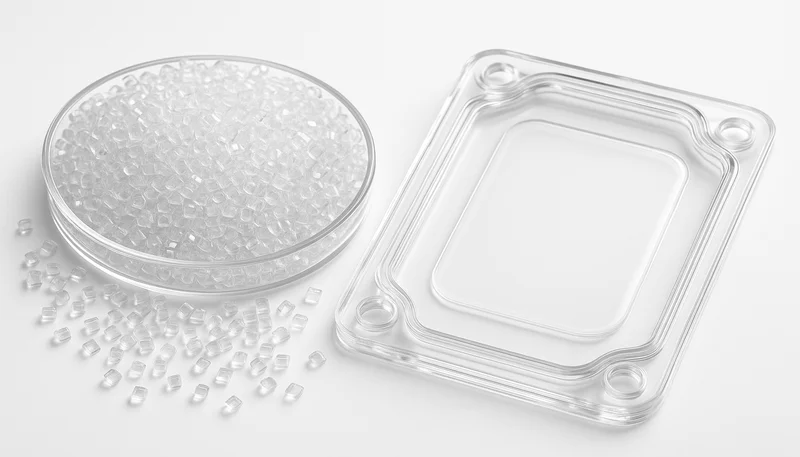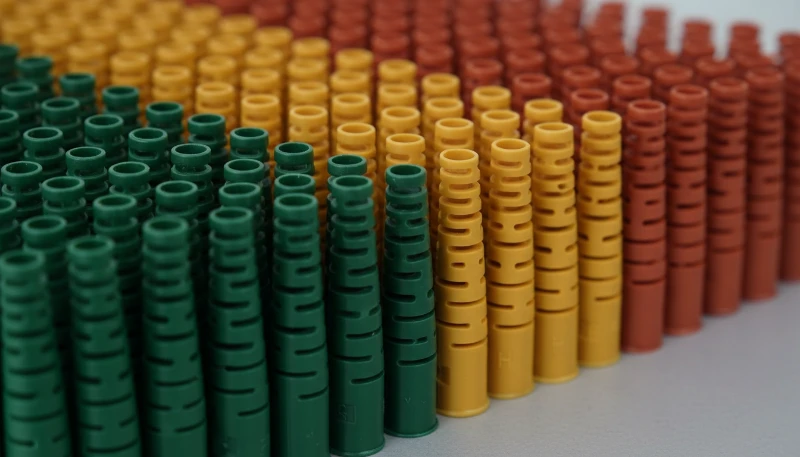
Polycarbonat (PC) gehört zu den vielseitigsten technischen Thermoplasten beim Spritzgießen – es ist transparent, schlagfest und thermisch stabil. Wer PC jedoch tatsächlich auf einer Produktionslinie verarbeitet hat, weiß, dass es zugleich zu den anspruchsvollsten Werkstoffen gehört. Seine hohe Schmelzeviskosität, extreme Feuchtigkeitsempfindlichkeit und Neigung zu inneren Spannungen führen dazu, dass bereits kleine Prozessabweichungen sichtbare Fehler hervorrufen können: Verfärbungen, Silberstreifen, Blasen, Fließmarken und Spannungsrisse.
In diesem Artikel gehen wir die sechs häufigsten PC-Formungsfehler durch, die wir in der Produktion erleben – Verfärbung und schwarze Flecken, Silberstreifen und Blasen, Fließmarken, Kaltmaterialflecken und innere Spannungsbrüche. Für jeden Fehler erklären wir den physikalischen Mechanismus, wie man ihn aus dem Fehlerbild diagnostiziert und die spezifischen Prozess- und Werkzeuganpassungen, die ihn beheben. Diese Einsichten kommen aus zwei Jahrzehnten praktischer PC-Formungs-Erfahrung in Automobil-, Medizin- und Konsumelektronik-Anwendungen.
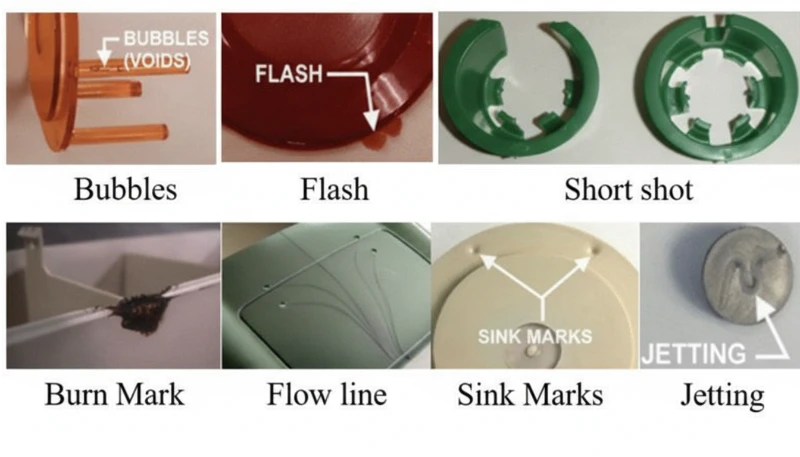
- Die Feuchtigkeitsempfindlichkeit von PC (erfordert <0.02% Feuchtigkeit) ist die Hauptursache der meisten Oberflächenfehler
- Eine höhere Schmelzviskosität als ABS oder PP bedeutet, dass PC eine präzise Temperatur- und Drucksteuerung benötigt
- Innere Spannung in transparenten PC-Teilen kann verzögertes Bruchverhalten Tage nach dem Formen verursachen
- Die meisten Defekte haben gemeinsame Lösungen: richtiges Trocknen, optimierte Zylindertemperatur und ausreichende Formentlüftung
- Fabrikerfahrungen mit über 400 Materialien zeigen, dass allein durch konsequente Trocknung 60% der PC-Fehler beseitigt werden
Was macht das Spritzgießen von Polycarbonat so herausfordernd?
Polycarbonat ist einer der schwierigsten technischen Thermoplaste zum Spritzgießen. Seine einzigartige Molekularstruktur – lineare Ketten mit Benzolringen, Isopropylidengruppen und Carbonatbindungen – schafft drei zentrale Verarbeitungsherausforderungen, die es von einfacheren Materialien wie Polypropylen oder ABS unterscheiden.
Wenn Sie Anbieter vergleichen oder die Beschaffung planen, behandelt unser Leitfaden zur Auswahl eines Spritzgusslieferanten die Vorbereitung der Angebotsanfrage, die Qualifizierung und die Prüfung kommerzieller Risiken.
Erstens besitzt PC keinen scharfen Schmelzpunkt. Stattdessen erweicht es allmählich über einen breiten Temperaturbereich (230–320 °C), sodass die Schmelzeviskosität während der üblichen Verarbeitung hoch bleibt1. Anders als teilkristalline Polymere, deren Viskosität oberhalb ihres Schmelzpunkts stark abnimmt, verhält sich PC eher wie eine newtonsche Flüssigkeit – seine Viskosität reagiert stärker auf Temperaturänderungen als auf die Schergeschwindigkeit. Bereits geringe Temperaturabweichungen von 10–15 °C können die Schmelze vom verarbeitbaren in den zersetzten Zustand überführen.
Zweitens ist PC extrem feuchtigkeitsempfindlich. Selbst Spuren von Wasser (über 0,02 % nach Gewicht) verursachen bei Verarbeitungstemperaturen hydrolytischen Abbau, der Polymerketten bricht und mechanische Eigenschaften reduziert. Das bedeutet, dass gründliches Vortrocknen bei 120 °C für 3–4 Stunden obligatorisch ist – nicht optional. Nach unserer Erfahrung beim Verarbeiten von über 400 Materialien in der Shanghai-Fabrik machen feuchtigkeitsbedingte Defekte etwa 60 % aller PC-Spritzgießprobleme aus, die wir beheben.
In unserer Fabrik in Shanghai, mit über 20 Jahren Spritzgießerfahrung über 400+ Kunststoffmaterialien hinweg, haben wir jedes vorstellbare PC-Defektmuster gesehen. Feuchtigkeitskontrolle und Disziplin bei der Zylindertemperatur sind die beiden Variablen, die einen reibungslosen PC-Produktionslauf von einem kostspieligen Ausschussereignis trennen.
Drittens erfordert die hohe Viskosität der PC-Schmelze bei der Konstruktion der Spritzgussform höhere Einspritzdrücke, größere Angüsse und Kanäle sowie tiefere Entlüftungsnuten als bei Standardkunststoffen. Zu klein dimensionierte Fließkanäle erzeugen übermäßige Scherwärme, die paradoxerweise selbst bei korrekt eingestellten Zylindertemperaturen eine thermische Zersetzung verursacht. Das Verständnis dieser drei Einschränkungen – hohe Viskosität, Feuchtigkeitsempfindlichkeit und Scherempfindlichkeit – bildet die Grundlage, um sämtliche in diesem Artikel behandelten Fehler zu vermeiden.
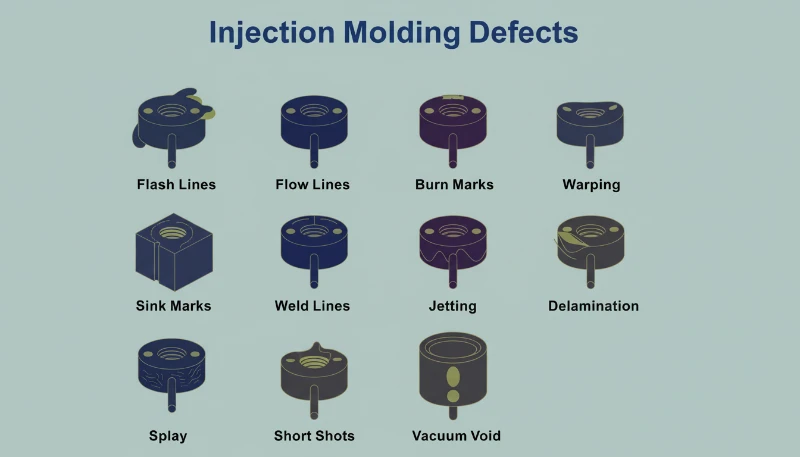
Was verursacht Verfärbung, Vergilbung und schwarze Flecken in PC-Teilen?
Verfärbung ist der häufigste visuelle Defekt beim PC-Spritzgießen, verursacht durch thermischen Abbau der Schmelze. Die Hauptursache ist typischerweise eine übermäßige Zylindertemperatur, eine zu lange Verweilzeit oder Totzonen im Plastifiziersystem, in denen abgebautes Material akkumuliert und intermittierend in den Schmelzstrom freigesetzt wird.
Reines PC-Harz hat eine ausgezeichnete thermische Stabilität und kann Temperaturen von bis zu 300 °C ohne signifikanten Abbau tolerieren. Das Problem entsteht, wenn Verarbeiter modifizierte PC-Blends, recyceltes Material oder PC mit Flammschutzmitteln und Füllstoffen verwenden. Diese Additive verringern das Verarbeitungsfenster erheblich. Zum Beispiel benötigen PC/ABS-Blends typischerweise Zylindertemperaturen um 250 °C, während PC/PBT-Blends für Beleuchtungsprodukte etwa 280 °C benötigen – jede Kombination hat ihre eigene thermische Obergrenze, die, wenn sie überschritten wird, irreversible Vergilbung oder Verkohlung auslöst.
Schwarze Flecken sind eine besonders frustrierende Variante, weil sie intermittierend auftreten können – manchmal zwei oder drei Schüsse in Folge, dann verschwinden sie. Dieses Bild deutet fast immer auf abgestandenes Material hin, das irgendwo im Plastifiziersystem eingeschlossen ist: Spaltungen im Schrauben-Rückschlagventil, Düsenspitzen-Übergänge oder Zylinderwand-Abrieb. Das eingeschlossene Material verkohlt über Zeit und bricht dann in Klumpen los. Wenn PC-Abbauprodukte über einen kritischen Grenzwert akkumulieren, katalysieren sie auch weiteren Abbau, erzeugen einen Kaskaden-Effekt – besonders schwer in flammhemmenden Klassen.
| PC-Materialtyp | Empfohlene Zylindertemperatur | Abbaurisiko oberhalb |
|---|---|---|
| Reines PC (optische Klasse) | 270-300 C | 320 C |
| PC/ABS-Mischung | 240-260 C | 280 C |
| PC mit Flammschutzmittel | 230-260 C | 280 C |
| PC/PBT-Blend (Beleuchtung) | 260-280 C | 300 C |
| Recyceltes PC | 240-270 C | 290 °C (variabel) |
Die Abhilfemaßnahmen folgen einem klaren System. Prüfen Sie zunächst die Sollwerte der Zylindertemperatur anhand der Materialsorte und senken Sie die Temperaturen der Einzugs- und Kompressionszone in Schritten von 5–10 °C, bis keine Verfärbung mehr auftritt. Sorgen Sie zweitens für eine gründliche Trocknung: 3–4 Stunden bei 120 °C in einem Trockenlufttrockner, jedoch nie länger als 10 Stunden, um Materialalterung zu vermeiden. Untersuchen Sie drittens das Plastifiziersystem auf Totzonen – bauen Sie Düse, Rückstromsperre und Schnecke aus und reinigen Sie sie, falls eine frei ausgespritzte Schmelze trotz korrekter Temperaturen verfärbt ist. Spülen Sie den Zylinder schließlich vor und nach jedem Produktionslauf mit einem thermisch stabilen Material (PS oder PE). Lassen Sie PC bei längeren Stillständen niemals auf Verarbeitungstemperatur im Zylinder stehen, sondern senken Sie ihn für Warmhaltephasen auf 160 °C (Glasübergangstemperatur von PC2) oder weniger ab.
"Die Senkung der Zylindertemperatur ist immer der erste Schritt, wenn PC-Bauteile vergilben."True
Die Reduzierung der Zylindertemperatur ist die richtige erste Maßnahme, weil übermäßige Hitze die häufigste Ursache für PC-Verfärbung ist. Wenn die Verfärbung jedoch nach einer Reduzierung von 10–15 °C bestehen bleibt, liegt die Ursache wahrscheinlich in abgestandenem Material im Plastifiziersystem oder in verunreinigten Rohmaterialien.
"Ein höherer Staudruck verbessert stets die Qualität der PC-Schmelze."False
Übermäßiger Gegendruck erzeugt zusätzliche Scherwärme im Zylinder, was den thermischen Abbau von PC beschleunigen kann. Der richtige Ansatz ist mäßiger Gegendruck (0,5-1,5 MPa) kombiniert mit ausreichender Trocknung und geeigneter Zylindertemperaturprofilierung.
Warum treten Silberstreifen und Blasen auf PC-Produkten auf?
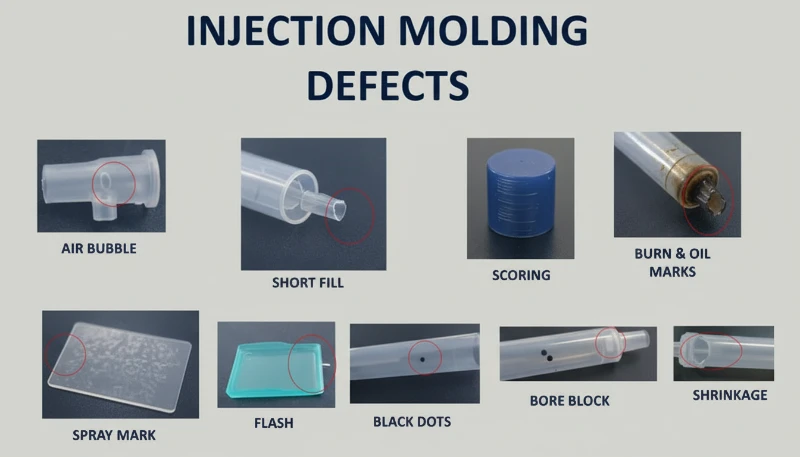
Silberstreifen (auch Gasstreifen genannt) und Blasen sind Oberflächen- und innere Defekte, die durch im Schmelzfluss eingeschlossene Gase während der Kavitätsfüllung verursacht werden. Beim PC-Spritzgießen sind die vier Gasquellen Wasserdampf, eingeschlossene Luft, thermische Zersetzungsgase und Lösungsmittelgase – Wasserdampf und Zersetzungsgase machen den Großteil der Fälle aus.
Silberschlieren entstehen, wenn in der unter Druck stehenden Schmelze gelöstes Gas an die Produktoberfläche austritt, sobald der Kavitätsdruck nach dem Füllen abfällt. Das austretende Gas hinterlässt winzige längliche Bläschen, die im Licht funkeln und stets in Materialfließrichtung ausgerichtet sind. Blasen hingegen sind in der Wanddicke eingeschlossene Gastaschen — besonders sichtbar bei transparenten PC-Teilen. Vakuumblasen sind davon zu unterscheiden: Sie entstehen nicht durch Gas, sondern durch volumetrische Schwindung, wenn unzureichender Nachdruck in dickwandigen Bereichen einen Hohlraum zurücklässt.
So diagnostizieren Sie die Gasquelle hinter Silberschlieren
Um festzustellen, welches Gas die Ursache ist, muss das Fehlerbild ausgewertet werden. Zufällig verteilte Oberflächenblasen deuten auf Wasserdampf hin – bei PC die häufigste Ursache, weil das Material stark hygroskopisch ist. Feine, dichte Blasenansammlungen in der Nähe des Anschnitts mit radialem oder fächerförmigem Muster weisen auf eingeschlossene Luft hin, üblicherweise infolge einer zu hohen Schneckenrückzugsgeschwindigkeit oder eines unzureichenden Staudrucks. Verfärbungen in Verbindung mit Silberschlieren deuten auf Zersetzungsgase durch überhitzte Schmelze hin. Die Diagnose ist entscheidend, weil jede Gasquelle eine andere Abhilfemaßnahme erfordert.
Bei feuchtigkeitsbedingten Silberstreifen ist die Lösung unkompliziert: Das Material muss 3–4 Stunden lang bei 120 °C in einem Entfeuchtungstrockner getrocknet werden. Die Wirksamkeit lässt sich durch Ausspritzen ins Freie prüfen – die austretende Schmelze sollte kontinuierlich, glatt und frei von weißem Dampf sein. Bei Lufteinschlüssen sind die Schneckendrehzahl zu reduzieren, der Staudruck zu erhöhen und die Plastifizierzeit während der Kühlphase zu verlängern. Bei Zersetzungsgasen ist die Zylindertemperatur, beginnend an der Düse, abschnittsweise zu senken und auf übermäßig lange Verweilzeiten zu prüfen (eine häufige Ursache ist der Einsatz überdimensionierter Maschinen für kleine Teile).
Vakuumblasen erfordern einen anderen Ansatz, da sie ein Schwindungsphänomen und kein Gasproblem sind. Erhöhen Sie den Nachdruck und verlängern Sie die Nachdruckzeit, um mehr Material in den dickwandigen Bereich zu packen. Positionieren Sie den Anschnitt an der dicksten Wand, um die Druckübertragung sicherzustellen. Erhöhen Sie die Werkzeugtemperatur lokal an der Fehlstelle, um die Erstarrung zu verlangsamen und einen Schwindungsausgleich zu ermöglichen. Bei transparenten Produkten kann auch ein langsames Abkühlen in heißem Wasser nach dem Formen die Bildung von Vakuumblasen verringern.
"Eine Wärmebehandlung nach dem Formen bei 120 C für 2 Stunden kann innere Spannungen in PC-Teilen deutlich reduzieren."True
Eine Wärmebehandlung bei etwa 120 C ermöglicht es den Molekülkettensegmenten von PC, ihre Beweglichkeit zurückzugewinnen und eingefrorene elastische Verformungen abzubauen. Orientierte Moleküle kehren in Richtung eines ungeordneten Zustands zurück, wodurch Orientierungs- und Temperaturspannungen sinken. Dies ist Standardpraxis für optische und spannungskritische PC-Anwendungen.
"Vakuumblasen in PC-Bauteilen werden durch eingeschlossene Luft verursacht."False
Vakuumblasen entstehen tatsächlich durch Volumenschwindung beim Abkühlen und nicht durch eingeschlossene Luft. Bei unzureichendem Nachdruck oder zu frühem Erstarren des Anschnitts zieht sich der noch flüssige Kern von der bereits erstarrten Randschicht zurück und erzeugt einen Hohlraum. Die Abhilfe besteht in höherem und längerem Nachdruck, nicht in zusätzlicher Entlüftung.
Was sind Fingerabdrücke und Turbulenzlinien – und wie lassen sie sich beheben?
Fingerabdrücke und Turbulenzlinien sind Fließfehler, die entstehen, wenn die PC-Schmelzeviskosität im Verhältnis zu Einspritzgeschwindigkeit und Formtemperatur zu hoch ist. Die Schmelze füllt die Kavität ruckweise und hinterlässt wellige Linien quer zur Fließrichtung (Fingerabdrücke) oder radiale Streifen nahe dem Anschnitt (Turbulenz).
Fingerabdruckmarken entstehen, wenn Einspritzgeschwindigkeit und -druck für die Schmelzeviskosität zu niedrig sind. Die Vorderseite des Schmelzestroms berührt die kalte Werkzeugwand, erstarrt und schwindet. Die dahinterliegende heiße Schmelze schiebt die geschrumpfte Haut vorwärts; anschließend kühlt auch diese Schicht ab und schwindet. Dieser wechselnde Vorschub-Erstarrungs-Zyklus erzeugt das typische Wellenmuster eines menschlichen Fingerabdrucks. Besonders deutlich ist der Effekt auf großen, ebenen PC-Flächen, etwa Displayabdeckungen oder Bedienfeldern.
Turbulenzmarken sind ein verwandter, aber eigenständiger Fehler. Sie erscheinen als unregelmäßige, vom Anschnitt ausgehende Fließlinien. Ursache ist, dass die Schmelze mit hoher Geschwindigkeit auf die Kavitätswand trifft und über die kalte Oberfläche gleitet, bevor sich eine laminare Strömung einstellt. Dieser Fehler tritt besonders häufig auf, wenn die Anschnittauslegung einen abrupten Geschwindigkeitsübergang erzeugt, etwa wenn ein kleiner Anschnitt in eine große, dickwandige Kavität mündet. Der entscheidende Unterschied: Fingerabdruckmarken verlaufen quer zur Fließrichtung, Turbulenzlinien dagegen parallel dazu.
Für beide Fehler gelten dieselben Abhilfen. Erhöhen Sie Düsen- und vordere Zylindertemperatur, um die Schmelzeviskosität zu senken — dies ist die wirksamste Einzelmaßnahme. Erhöhen Sie die Werkzeugtemperatur, insbesondere an der Fehlerstelle; bei optisch anspruchsvollen PC-Teilen ist ein Werkzeugtemperiergerät mit 100–120 °C Sollwert Standard. Erhöhen Sie die Einspritzgeschwindigkeit, um das Füllverhalten von Stick-Slip auf kontinuierliches Fließen umzustellen. Eine mehrstufige Einspritzung ermöglicht abschnittsweise Geschwindigkeitsanpassungen, sodass der Problembereich gezielt behandelt wird, ohne anderswo Grat zu erzeugen. Werkzeugseitig sind Anschnitte und Verteiler zu vergrößern, um den Fließwiderstand zu senken; außerdem sind ausreichende Entlüftung und Kaltpfropfenfänger sicherzustellen.
Mit 47 Spritzgießmaschinen von 90T bis 1850T und MOLDFLOW-Simulationen zur Optimierung von Anschnitt und Angusskanal beheben wir Fließmarken in der Regel bereits in der DFM-Phase – noch bevor der Stahl bearbeitet wird. Die Simulation erkennt die Geschwindigkeitsübergänge, die Turbulenzspuren verursachen, und ermöglicht so eine Neugestaltung des Anschnitts vor dem Werkzeugbau.
Wie entstehen Kaltmaterialstellen und wie lassen sie sich vermeiden?
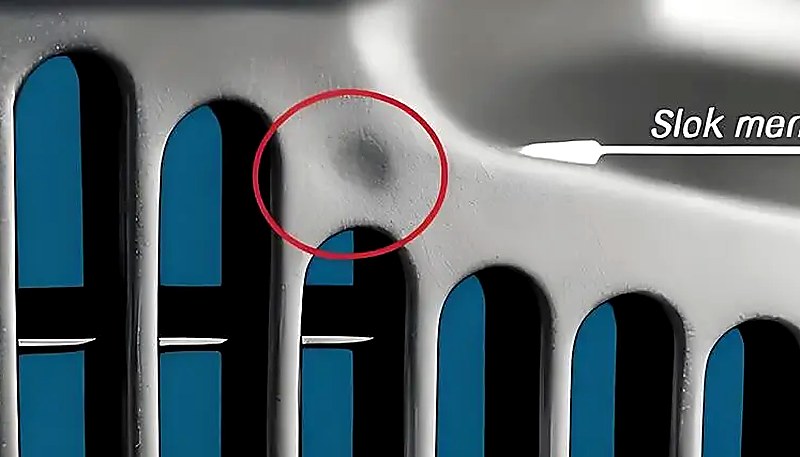
Kaltmaterialschlieren sind trübe, helle oder wurmförmige Markierungen in Anschnittnähe, die entstehen, wenn teilweise erstarrte Schmelze in die Kavität gelangt. Sie bilden sich, wenn die Fließfront an Düsenspitze, Angusskanal oder Anschnitt zu viel Wärme verliert, bevor die Kavitätsfüllung beginnt—oder wenn übermäßiger Nachdruck bereits abgekühltes Angussmaterial in das Bauteil drückt.
Es gibt zwei unterschiedliche Mechanismen. Der erste ist vorlaufendes kaltes Material: Die Schmelze an Düsenspitze und Verteilereintritt kühlt zwischen den Schüssen ab, weil die Düse die kalte Formplatte berührt. Beim Einspritzbeginn gelangt dieses abgekühlte Material zuerst in die Kavität. Bei dünnwandigen Teilen verteilt es sich zu rauchigen oder pastenartigen trüben Flecken. Bei dickwandigen Teilen bildet es eine gebogene, regenwurmartige Narbe. Der zweite Mechanismus ist durch Nachdruck verdrängtes kaltes Material: Übermäßige Nachdruckzeit und übermäßiger Druck pressen bereits abgekühltes Material aus Verteiler und Anschnitt in das Teil und erzeugen nahe dem Anschnitt einen kleinen, kreisförmigen Glanzfleck.
Die Vorbeugung ist unkompliziert, erfordert jedoch Sorgfalt. Installieren Sie am Ende jedes Angusskanals einen Kaltpfropfenfänger—er fängt das vorauslaufende kalte Material ab, bevor es in die Kavität gelangt. Erhöhen Sie die Düsentemperatur, um Wärmeverluste an der Spitze zu verringern. Erhöhen Sie die Werkzeugtemperatur, um die Differenz zwischen Schmelze- und Werkzeugoberflächentemperatur zu verkleinern. Reduzieren Sie die Einspritzgeschwindigkeit zu Beginn der Füllung, um Schmelzebruch am Anschnitt zu vermeiden, und erhöhen Sie sie anschließend für die Hauptfüllung. Optimieren Sie Position, Größe und Form des Anschnitts, um abrupte Geschwindigkeitsänderungen zu vermeiden. Verkürzen Sie bei Kaltstellen durch Nachdruck die Nachdruckzeit und senken Sie den Nachdruck auf das für die Maßstabilität erforderliche Minimum. Sorgen Sie außerdem für eine gründliche Materialtrocknung—Restfeuchte im Kaltpfropfen kann den sichtbaren Fehler verstärken.
Warum entstehen bei transparenten PC-Produkten innere Spannungsrisse?
Eigenspannungen in PC-Produkten entstehen durch eingefrorene Molekülorientierung und ungleichmäßige Kühlspannungen. Sie können Verzug, geringere optische Klarheit und verzögerte Spannungsrisse verursachen, die erst Tage oder Wochen nach dem Formen auftreten — transparente PC-Teile sind hier der Frühindikator.
Innere Spannungen entstehen durch zwei Hauptmechanismen. Orientierungsspannungen entstehen, wenn Polymerketten während des Fließens gestreckt und anschließend fixiert werden, bevor sie sich wieder zu einer statistischen Knäuelstruktur entspannen können. Höherer Einspritzdruck, höhere Einspritzgeschwindigkeit und längere Nachdruckzeit verstärken die Orientierung, da sie die Scherung der Schmelze erhöhen. Temperaturspannungen entstehen durch die große Temperaturdifferenz zwischen dem heißen Schmelzekern und der kalten Werkzeugwand. Da PC eine hohe spezifische Wärmekapazität und eine geringe Wärmeleitfähigkeit aufweist, erstarrt die Oberfläche lange vor dem Inneren — dadurch entstehen außen Druckspannungen und innen Zugspannungen.
In der Praxis kann ein PC-Teil unmittelbar nach dem Spritzgießen einwandfrei aussehen, aber innerhalb weniger Tage Mikrorisse entwickeln, insbesondere bei Kontakt mit organischen Lösungsmitteln (Reinigungsmitteln, Klebstoffen) oder erhöhten Temperaturen. In unserer Produktion sind transparente PC-Linsen während der Montage gerissen, nur weil der Bediener ein alkoholhaltiges Reinigungstuch verwendete: Die Eigenspannung lag bereits an der Versagensgrenze, und das Lösungsmittel senkte sie gerade weit genug, um die Rissbildung auszulösen.
Unser eigener Werkzeugbau mit einer Kapazität von 100+ Werkzeugsätzen pro Monat ermöglicht es uns, Anschnittposition, Angussgeometrie und Kühlkanalanordnung gezielt für spannungsempfindliche PC-Bauteile zu optimieren. In Verbindung mit den Qualitätssystemen nach ISO 9001 und ISO 13485 erkennen wir Eigenspannungen bereits bei der Erstmusterprüfung durch eine Analyse mit polarisiertem Licht.
"Eine Analyse mit polarisiertem Licht kann Eigenspannungen in transparenten PC-Teilen erkennen, bevor diese reißen."True
Unter polarisiertem Licht zeigt beanspruchtes PC Doppelbrechungsmuster, die eingefrorene Molekülorientierungen und ungleichmäßige Kühlspannungen sichtbar machen. Mit diesem zerstörungsfreien Prüfverfahren können Betriebe Spannungsprobleme bereits bei der Erstmusterprüfung erkennen, lange bevor Bauteile im Einsatz versagen.
"Das Tempern nach dem Spritzgießen bei 120 C reduziert Eigenspannungen in transparenten PC-Teilen."False
Das Tempern bei 120 C reduziert tatsächlich innere Spannungen, da sich die Molekülketten entspannen können. Es ersetzt jedoch keine korrekten Formparameter: Bereits entstandene Spannungen lassen sich nur reduzieren, nicht vollständig beseitigen. Am wirksamsten ist es, Spannungen beim Formen durch richtige Temperatur- und Druckeinstellungen zu minimieren und das Tempern anschließend als abschließenden Qualitätssicherungsschritt für kritische Komponenten einzusetzen.
Der Abbau innerer Spannungen erfordert einen ganzheitlichen Ansatz. Erhöhen Sie die Schmelzetemperatur, um Viskosität und Orientierung während des Fließens zu verringern. Erhöhen Sie die Werkzeugtemperatur, damit die Abkühlung langsamer und gleichmäßiger erfolgt und orientierte Moleküle Zeit zur Relaxation erhalten. Reduzieren Sie den Einspritzdruck auf das für eine vollständige Füllung erforderliche Minimum. Minimieren Sie die Nachdruckzeit – Überpacken trägt wesentlich zu Orientierungsspannungen bei. Arbeiten Sie mit einem variablen Einspritzgeschwindigkeitsprofil: schnelles Füllen zur Vermeidung von Fließfehlern, anschließend langsame Geschwindigkeit während der Nachdruckphase zur Verringerung der Molekülausrichtung. Bei Teilen mit Metalleinlegern sollten die Einleger auf etwa 200 °C vorgewärmt werden, um die thermische Fehlanpassung zu verringern. Eine Wärmebehandlung nach dem Spritzgießen bei 120 °C für etwa 2 Stunden ermöglicht es den Kettensegmenten schließlich, ihre Beweglichkeit zurückzugewinnen und eingefrorene Verformungen abzubauen – dies ist Standardpraxis bei PC-Bauteilen in optischer Qualität.
"Die Reduzierung des Einspritzdrucks auf das zur Kavitätsfüllung erforderliche Minimum hilft, innere Spannungen in PC-Teilen zu vermeiden."True
Ein zu hoher Einspritzdruck verstärkt die Molekülorientierung und Scherspannung und erhöht dadurch innere Spannungen sowie das Risiko von Verzug und Spannungsrissen. Der niedrigste Druck, der zusammen mit einer angemessenen Schmelzetemperatur eine vollständige Füllung erzielt, erzeugt PC-Bauteile mit den geringsten Spannungen.
"Eine Erhöhung der Werkzeugtemperatur über 100 °C verbessert immer die Oberflächengüte von PC-Teilen."False
Eine höhere Werkzeugtemperatur kann zwar Fließmarken verringern und den Oberflächenglanz verbessern, doch eine Überschreitung von 100 °C über längere Zyklen kann übermäßig lange Kühlzeiten verursachen und zum thermischen Abbau des PC-Harzes in Anschnittnähe führen. Der optimale Werkzeugtemperaturbereich für PC liegt typischerweise bei 80–100 °C und schafft einen Ausgleich zwischen Oberflächenqualität, Zykluseffizienz und Teilestabilität.
Welche Verarbeitungsparameter sollten Sie überwachen, um PC-Fehler zu minimieren?
Sechs Parameter sind für die Vermeidung von PC-Fehlern besonders wichtig: Trocknung, Zylindertemperatur, Einspritzgeschwindigkeit, Nachdruck und Werkzeugtemperatur. Richtig eingestellt beseitigen sie die meisten Probleme mit Verfärbungen, Silberstreifen, Blasen, Fließlinien und inneren Spannungen.
Die Trocknung ist zwingend erforderlich. PC benötigt einen Feuchtigkeitsgehalt unter 0.02%3 – erreichbar durch 3–4 Stunden Trocknung bei 120 °C in einem Trockenlufttrockner. Eine Trocknung über 10 Stunden birgt insbesondere bei flammgeschützten Typen die Gefahr der Materialschädigung. Prüfen Sie die Trocknungswirkung vor Produktionsbeginn anhand einer frei ausgespritzten Schmelze. Allein dieser Schritt verhindert die meisten Silberstreifen und Oberflächenblasen.
Die Zylindertemperatur muss als Profil und nicht als Einzelwert eingestellt werden. Für reines PC verläuft ein typisches Profil bei 250 °C (Einzug) → 270 °C (Kompression) → 285 °C (Dosierung) → 290 °C (Düse). Jede modifizierte Type hat ihr eigenes Prozessfenster – PC/ABS bei etwa 20 °C niedrigeren, PC/PBT bei ähnlichen oder geringfügig höheren Temperaturen. Entscheidend ist, am unteren Ende des empfohlenen Bereichs zu beginnen und die Temperatur nur zu erhöhen, wenn Fließmarken oder unvollständig gefüllte Teile auftreten. Stellen Sie niemals alle Zonen auf dieselbe Temperatur ein; ein geeignetes Gefälle gewährleistet eine allmähliche Plastifizierung, ohne dass das Material in der Einzugszone vorzeitig schmilzt und dadurch die Luftentweichung blockiert oder wegen unzureichender Vorwärmung Luft in der Schmelze eingeschlossen wird.
| Kenngröße | Empfohlener Bereich (reines PC) | Verhinderte Fehler |
|---|---|---|
| Trocknungstemperatur | 120 C, 3-4 h, entfeuchtet | Silberschlieren, Oberflächenblasen |
| Zylindertemperatur (Düse) | 280-295 C | Kurzschüsse, Fließmarken |
| Temperatur der Form | 80-120 C | Fingerabdrücke, innere Spannungen |
| Einspritzgeschwindigkeit | Mehrstufig: schnelles Füllen, langsamer Nachdruck | Turbulenzmarkierungen, Überpackung |
| Nachdruck | 60-80 % des Einspritzdrucks | Vakuumblasen, Einfallstellen |
| Nachdruckzeit | Bis zum Angussfrieren (3–8 s) | Schwindungshohlräume, Maßabweichungen |
Die Schmelzverweilzeit verdient besondere Aufmerksamkeit. Die Verwendung überdimensionierter Anlagen für kleine PC-Teile ist ein häufiger Fehler – das große Schuss-zu-Zylinder-Kapazitäts-Verhältnis bedeutet, dass das Material viel zu lange bei Verarbeitungstemperatur verbleibt und thermische Schäden anhäuft. Als Faustregel sollte das Schussgewicht mindestens 30–40% der Zylinderkapazität betragen. Wenn Sie kleine Teile auf großen Maschinen fertigen müssen, verwenden Sie eine Schnecke mit kleinerem Durchmesser oder akzeptieren Sie, dass häufiges Spülen und Farbwechsel unvermeidlich sind. Schließlich ist die Formtemperatur für PC wichtiger als für die meisten Kunststoffe. Das Betreiben kalter Formen (unter 80 °C) beschleunigt die Hautverfestigung, erhöht die innere Spannung und verstärkt Fließmarken. Für transparente oder oberflächenkritische Teile ist eine Formtemperatur von 100–120 °C mit einem Temperaturregler der Industriestandard.
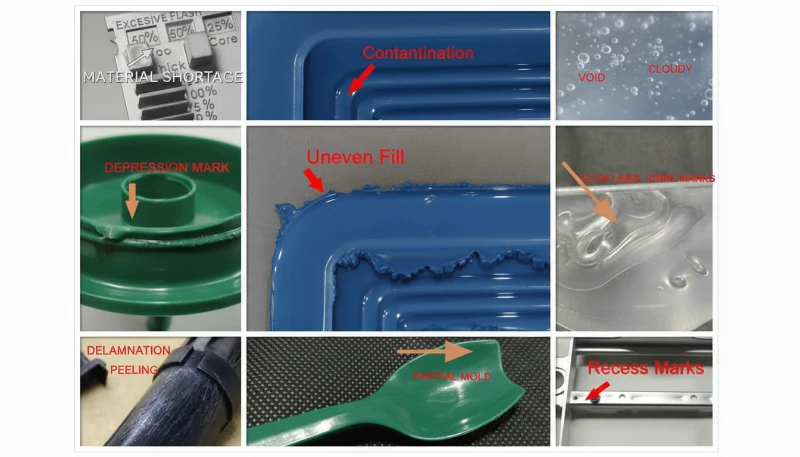
Was sind die häufigsten Fragen zu PC-Spritzgussfehlern?
Häufig gestellte Fragen
Was ist die ideale Trocknungstemperatur für Polycarbonat vor dem Spritzgießen?
Polycarbonat sollte vor dem Spritzgießen bei 120 °C mit einem Entfeuchtungstrockner 3 bis 4 Stunden getrocknet werden, um einen Feuchtigkeitsgehalt unter 0,02 % zu erreichen. Dies ist eine unabdingbare Voraussetzung für eine erfolgreiche PC-Verarbeitung – das Überspringen oder Abkürzen des Trocknungsschritts ist die häufigste Ursache für Oberflächendefekte. Eine Trocknung über 10 Stunden hinaus birgt das Risiko von Materialabbau, insbesondere bei flammhemmenden Typen, die thermisch empfindlicher sind. Überprüfen Sie vor Produktionsbeginn stets die Wirksamkeit mit einem Luftschusstest – die extrudierte Schmelze sollte kontinuierlich, glatt und frei von weißem Dampf sein. Ein Standard-Trichtertrockner ohne Entfeuchtung ist für PC unzureichend.
Was verursacht schwarze Flecken in Polycarbonat-Spritzgussteilen?
Schwarze Flecken in PC-Spritzgussteilen werden typischerweise durch verkohltes Material verursacht, das in Totzonen des Plastifiziersystems eingeschlossen ist – wie z.B. in Spalten des Rückschlagventils, Düsenspitzenübergängen oder Kratzern an der Zylinderwand. Das eingeschlossene Material zerfällt mit der Zeit und löst sich intermittierend in den Schmelzestrom, wodurch dunkle Flecken entstehen, die zufällig über mehrere Schüsse auftauchen und dann verschwinden. Regelmäßiges Demontieren und Reinigen des Plastifiziersystems kombiniert mit ordnungsgemäßen Spülverfahren des Zylinders mittels PS oder PE vor und nach jedem Produktionslauf verhindert dieses Problem effektiv. Lassen Sie PC-Material niemals während längerer Maschinenstillstände auf Verarbeitungstemperatur stehen.
Was ist die empfohlene Spritzgusstemperatur für Polycarbonat?
Für reines Polycarbonat beträgt das empfohlene Zylindertemperaturprofil 250 °C (Einzugszone) bis 285–295 °C (Düse), mit einer Formtemperatur von 80–120 °C. Entscheidend ist die Verwendung eines Temperaturgradienten über die Zonen hinweg anstatt eines einzelnen Sollwerts, um eine schrittweise Plastifizierung ohne vorzeitiges Schmelzen in der Einzugszone zu gewährleisten. Modifizierte Typen haben andere Fenster: PC/ABS-Blends laufen etwa 20 °C niedriger, während PC/PBT-Blends ähnliche oder leicht höhere Temperaturen erfordern können. Beginnen Sie immer am unteren Ende des empfohlenen Bereichs und erhöhen Sie nur, wenn Fließfehler auftreten.
Wie verhindert man Eigenspannungen in transparenten PC-Produkten?
Die Vermeidung von Eigenspannungen in transparenten PC-Teilen erfordert einen mehrgleisigen Ansatz. Verwenden Sie eine höhere Schmelztemperatur, um die Viskosität und die Molekularorientierung während des Fließens zu verringern. Erhöhen Sie die Werkzeugtemperatur auf 100-120 °C für eine langsamere und gleichmäßigere Abkühlung, die orientierten Molekülen Zeit zur Entspannung gibt. Minimieren Sie Einspritz- und Nachdruck auf das für eine vollständige Füllung erforderliche Minimum. Verwenden Sie eine einspritzgeschwindigkeitsgeregelte Einspritzung mit schneller Füllphase gefolgt von langsamer Nachdruckphase. Eine nachträgliche Wärmebehandlung bei 120 °C für etwa 2 Stunden ist Standardverfahren für optische Bauteile, um eingefrorene Molekularorientierung zu entspannen.
Warum erscheinen Silberstreifen auf PC-spritzgegossenen Teilen?
Silberstreifen auf PC-Teilen entstehen durch Gas, das während oder nach dem Formhohlraumfüllen zur Produktoberfläche entweicht und winzige längliche Blasen hinterlässt, die unter Licht glitzern. Die häufigste Gasquelle ist Wasserdampf aus unzureichend getrocknetem Material – dies ist die Ursache für die Mehrzahl der Fälle. Thermische Zersetzungsgase durch übermäßige Zylindertemperatur sind die zweithäufigste Ursache. Feine, dichte Silberstreifen, die konzentriert nahe dem Anguss in radialem Muster auftreten, deuten auf eingeschlossene Luft durch übermäßige Schneckendrehzahl oder unzureichenden Gegendruck hin. Richtiges Trocknen bei 120 °C für 3–4 Stunden beseitigt die meisten feuchtigkeitsbedingten Fälle.
Können Polycarbonat-Spritzgussfehler nur durch Anpassung der Maschinenparameter behoben werden?
Viele PC-Fehler – insbesondere Silberstreifen, Verfärbungen und Fließmarken – können allein durch Anpassung der Maschinenparameter behoben werden, hauptsächlich durch Trocknungsbedingungen, Zylindertemperaturprofilierung und Optimierung der Einspritzgeschwindigkeit. Wiederkehrende Fehler wie anhaltende kalte Materialstellen oder Turbulenzmarkierungen erfordern jedoch oft Formmodifikationen wie vergrößerte Angüsse, zusätzliche Entlüftungskanäle oder Kaltgussfallen. Die Reduzierung innerer Spannungen kann auch Designänderungen bei der Wandstärkengleichmäßigkeit und dem Vorwärmen von Einlegern erfordern. Der effektivste Ansatz kombiniert Parameteroptimierung mit richtiger Formkonstruktion von Anfang an.
Was ist der Unterschied zwischen Blasen und Vakuumblasen in PC-Teilen?
Blasen in PC-Teilen sind gasgefüllte Hohlräume, die durch Wasserdampf, eingeschlossene Luft oder thermische Zersetzungsgase verursacht werden, die während des Formhohlraumfüllens eingeschlossen werden. Sie sind sofort nach dem Öffnen der Form vorhanden und wachsen nicht mit der Zeit. Vakuumblasen sind grundlegend anders – es sind schrumpfungsbedingte Hohlräume, die während der Abkühlung entstehen, wenn der Nachdruck nicht ausreicht, um das volumetrische Schrumpfen in dicken Bereichen auszugleichen. Vakuumblasen können nach dem Entformen erscheinen oder sich vergrößern, wenn das Innere weiter abkühlt und schrumpft. Der diagnostische Unterschied bestimmt, ob Sie den Gasgehalt durch Trocknung und Temperatur oder die Packung durch Nachdruck angehen.
Wie können Sie Expertenunterstützung für Ihr PC-Spritzgussprojekt erhalten?
ZetarMold ist der Fertigungspartner für Polycarbonat-Spritzgussprojekte, die Null-Fehler erfordern. Unser Engineering-Team bringt über 20 Jahre Erfahrung in der Verarbeitung von PC und über 400 Materialien in jedes Projekt ein – von der Materialtrocknung und Temperaturprofilierung bis hin zur Angussgestaltung und Spannungsarmut. Unsere interne Werkzeugbauabteilung, MOLDFLOW-Simulationsfähigkeit und ISO-zertifizierte Qualitätssysteme bedeuten, dass Ihre PC-Teile ab der DFM-Phase auf Qualität hin ausgelegt werden.
Benötigen Sie ein Angebot für Ihr Polycarbonat-Spritzgussprojekt? Unser Engineering-Team erstellt Ihnen wettbewerbsfähige Preise, DFM-Feedback und einen Produktionszeitplan. Fordern Sie noch heute ein kostenloses Angebot an oder lesen Sie unseren vollständigen Leitfaden zum Spritzgießen, der einen umfassenden Überblick über den Prozess bietet.
Hohe Schmelzeviskosität: Die hohe Schmelzeviskosität von PC reagiert stärker auf Temperaturänderungen als auf die Schergeschwindigkeit und verhält sich bei der Verarbeitung ähnlich wie eine newtonsche Flüssigkeit. ↩
Glasübergang von PC: Polycarbonat besitzt eine Glasübergangstemperatur (Tg) von etwa 147-150 C, die die minimale Warmhaltetemperatur bestimmt. ↩
Feuchtigkeitsgehalt unter 0.02%: PC muss vor der Verarbeitung einen Feuchtigkeitsgehalt unter 0.02% (200 ppm) aufweisen, um hydrolytische Zersetzung bei Formtemperaturen zu verhindern. ↩