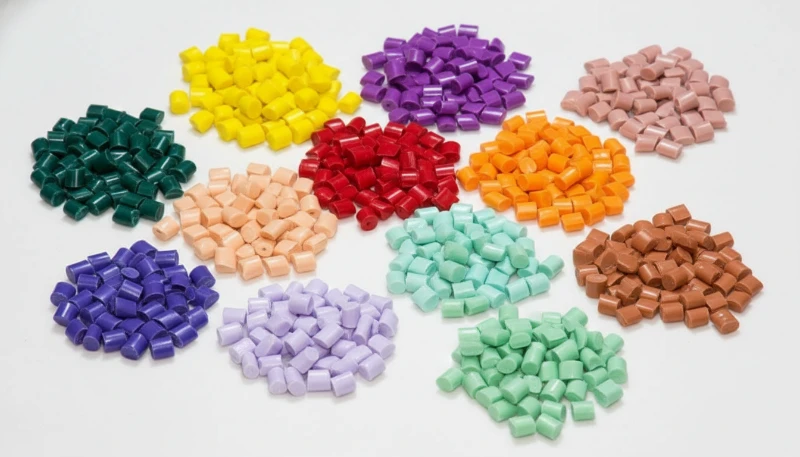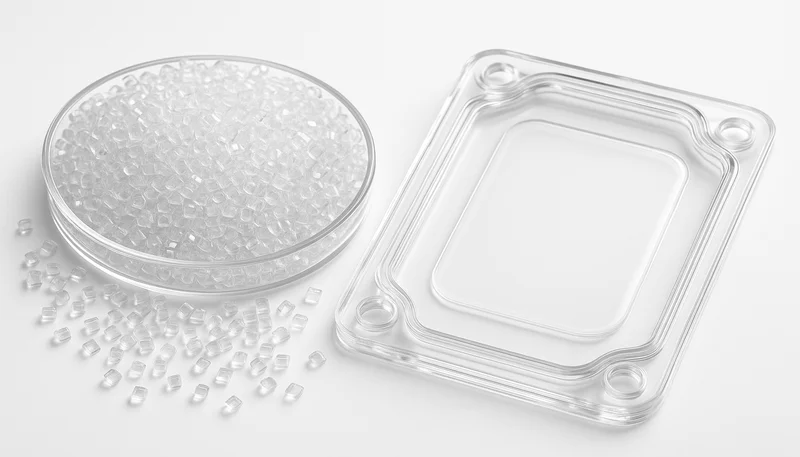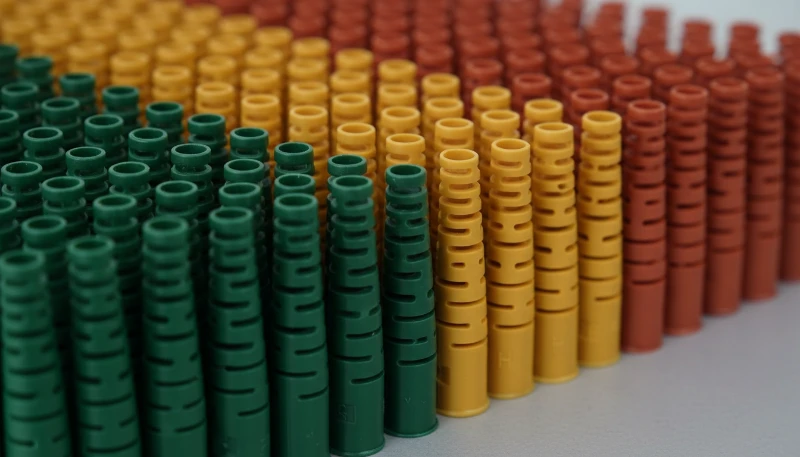
Polycarbonaat (PC) is een van de veelzijdigste technische thermoplasten voor spuitgieten: transparant, slagvast en thermisch stabiel. Wie PC daadwerkelijk op een productielijn heeft verwerkt, weet echter dat het ook een van de lastigste materialen is. De hoge smeltviscositeit, extreme vochtgevoeligheid en neiging om interne spanningen vast te houden zorgen ervoor dat zelfs kleine procesafwijkingen zichtbare defecten kunnen opleveren: verkleuring, zilverstrepen, bellen, vloeisporen en spanningsscheuren.
In dit artikel bespreken we de zes meest voorkomende PC-gietdefecten die we in de productie tegenkomen—verkleuring en zwarte vlekken, zilverstrepen en bubbels, stroomsporen, koude materiaalvlekken en inwendige spanningsscheuren. Voor elk defect leggen we het fysieke mechanisme uit, hoe het te diagnosticeren aan de hand van het defectpatroon, en de specifieke proces- en gereedschapsaanpassingen die het oplossen. Deze inzichten komen uit twee decennia praktijkervaring met PC-spuitgieten in de auto-, medische- en consumentenelektronica-industrie.
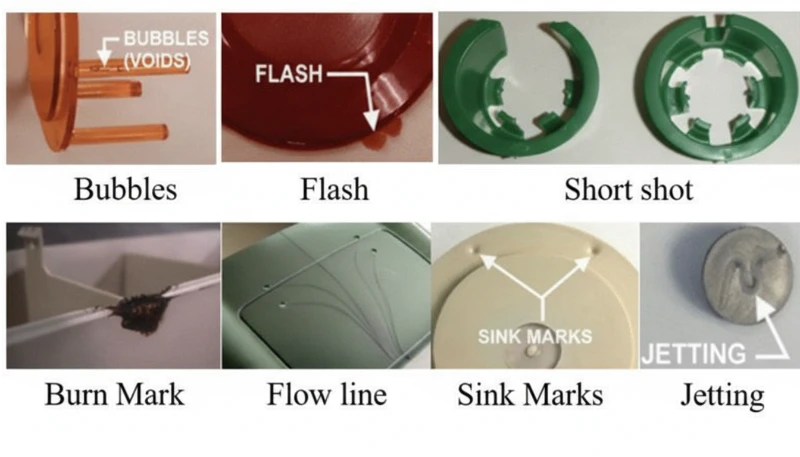
- De vochtgevoeligheid van PC (vereist <0.02% vocht) is de hoofdoorzaak van de meeste oppervlaktedefecten
- Een hogere smeltviscositeit dan ABS of PP betekent dat PC nauwkeurige temperatuur- en drukregeling nodig heeft
- Inwendige spanning in transparante PC-onderdelen kan vertraagde scheuren veroorzaken, dagen na het gieten
- De meeste defecten hebben gemeenschappelijke oplossingen: goed drogen, geoptimaliseerde cilindertemperatuur en voldoende ontluchting van het matrijs
- Fabriekservaring met 400+ materialen toont dat droogdiscipline alleen 60% van PC-defecten elimineert
Waarom is Spuitgieten van Polycarbonaat Zo Uitdagend?
Polycarbonaat is een van de moeilijkste technische thermoplasten om te spuitgieten. De unieke moleculaire structuur—lineaire ketens met benzenringen, isopropyliden-groepen en carbonaatverbindingen—creëert drie kernverwerkingsproblemen die het anders maken dan gemakkelijke materialen zoals polypropyleen of ABS.
Als u leveranciers vergelijkt of een inkoop plant, behandelt onze gids voor het vinden van een spuitgietleverancier de voorbereiding van offerteaanvragen, kwalificatie en controles op commerciële risico’s.
Ten eerste heeft PC geen scherp smeltpunt. Het wordt geleidelijk zacht binnen een breed temperatuurbereik (230–320 °C), waardoor de smeltviscositeit hoog blijft1 tijdens de normale verwerking. Anders dan semikristallijne polymeren, die boven hun smeltpunt sterk vloeibaarder worden, gedraagt PC zich meer als een newtoniaanse vloeistof: de viscositeit reageert sterker op temperatuurveranderingen dan op de afschuifsnelheid. Een temperatuurafwijking van slechts 10–15 °C kan de smelt van verwerkbaar naar afgebroken doen omslaan.
Ten tweede, PC is extreem gevoelig voor vocht. Zelfs kleine hoeveelheden water (boven 0.02% op gewicht) veroorzaken hydrolytische degradatie bij verwerkingstemperaturen, waardoor polymerketens breken en mechanische eigenschappen verminderen. Dit betekent dat grondige voorafdroging bij 120 °C voor 3–4 uur noodzakelijk is—niet optioneel. In onze ervaring met het verwerken van meer dan 400 materialen in de Shanghai fabriek, vochtgerelateerde defecten vormen ongeveer 60% van alle PC-gietproblemen die we oplossen.
In onze fabriek in Shanghai, met 20+ jaar spuitgietervaring met 400+ plasticmaterialen, hebben we elk PC-defectpatroon gezien. Vochtcontrole en cilindertemperatuurdiscipline zijn de twee variabelen die een soepele PC-productie scheiden van een kostbare afvalgebeurtenis.
Ten derde betekent de hoge viscositeit van PC-smelt dat het ontwerp van de spuitgietmatrijs hogere inspuitdrukken, grotere aanspuitingen en runners en diepere ontluchtingsgroeven moet ondersteunen dan bij standaardkunststoffen nodig is. Te kleine stroomkanalen veroorzaken overmatige afschuifwarmte, wat paradoxaal genoeg tot thermische afbraak leidt, zelfs bij correct ingestelde cilindertemperaturen. Inzicht in deze drie beperkingen — hoge viscositeit, vochtgevoeligheid en afschuifgevoeligheid — vormt de basis voor het voorkomen van elk defect dat in dit artikel wordt behandeld.
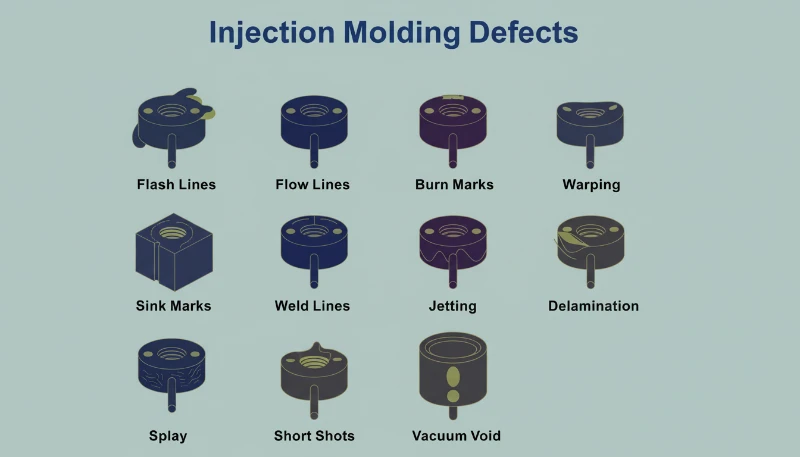
Wat Veroorzaakt Verkleuring, Vergeling en Zwarte Vlekken in PC-onderdelen?
Verkleuring is het meest voorkomende visuele defect bij het spuitgieten van PC, veroorzaakt door thermische degradatie van de smelt. De hoofdoorzaak is meestal een te hoge cilindertemperatuur, een te lange verblijftijd, of dode zones in het plastificeersysteem waar gedegradeerd materiaal zich ophoopt en af en toe in de smeltstroom terechtkomt.
Pure PC-hars heeft excellent thermische stabiliteit en kan temperaturen tot 300 °C verdragen zonder significante decompositie. Het probleem ontstaat wanneer verwerkers gemodificeerde PC-mengsels, gerecycled materiaal, of PC gecomposteerd met brandvertragers en vulstoffen gebruiken. Deze additieven verkleinen het verwerkingswindow sterk. Bijvoorbeeld, PC/ABS-mengsels vereisen cilindertemperaturen rond 250 °C, terwijl PC/PBT-mengsels voor lichtproducten ongeveer 280 °C nodig hebben—elk combinatie heeft zijn eigen thermische limiet die, wanneer overschreden, onomkeerbare vergeling of carbonisatie triggert.
Zwarte vlekken zijn een bijzonder frustrerende variant omdat ze intermitterend kunnen optreden—soms twee of drie schoten achter elkaar, dan weer verdwijnend. Dit patroon wijst bijna altijd op dood materiaal dat ergens in het plastificeersysteem vastzit: openingen in de terugslagring van de schroef, raakvlakken van de spuitkop, of krassen op de cilinderwand. Het vastzittende materiaal verkoolt na verloop van tijd en breekt dan in brokken los. Wanneer PC-afbraakproducten zich ophopen boven een kritieke drempel, katalyseren ze ook verdere afbraak, wat een cascade-effect creëert—vooral ernstig bij vlamvertragende kwaliteiten.
| PC Materiaaltype | Aanbevolen Cilindertemperatuur | Degradatierisico Boven |
|---|---|---|
| Pure PC (optische kwaliteit) | 270-300 C | 320 C |
| ISO 10993: | 240-260 C | 280 C |
| PC met vlamvertrager | 230-260 C | 280 C |
| PC/PBT-mengsel (verlichting) | 260-280 C | 300 C |
| Gerecycled PC | 240-270 C | 290 °C (variabel) |
De oplossingen zijn systematisch. Controleer eerst de ingestelde cilindertemperaturen aan de hand van de materiaalkwaliteit en verlaag de temperaturen van de invoer- en compressiezone in stappen van 5–10 °C totdat de verkleuring stopt. Zorg vervolgens voor grondige droging: 3–4 uur bij 120 °C in een ontvochtigingsdroger, maar nooit langer dan 10 uur om materiaalveroudering te voorkomen. Controleer daarna het plastificeersysteem op dode zones: verwijder en reinig de spuitmond, terugslagklep en schroef als de vrij uitgespoten smelt zelfs bij de juiste temperaturen verkleurd is. Spoel ten slotte de cilinder voor en na elke productierun met een thermisch stabiel materiaal (PS of PE). Laat PC tijdens langdurige stops nooit op verwerkingstemperatuur in de cilinder staan; verlaag de temperatuur voor thermisch vasthouden tot 160 °C (glasovergang van PC2) of lager.
"Het verlagen van de cilindertemperatuur is altijd de eerste stap wanneer PC-onderdelen vergelen."True
Het verlagen van de cilindertemperatuur is de juiste eerste reactie, omdat overmatige hitte de meest voorkomende oorzaak is van vergeling van PC. Als de verkleuring na een verlaging van 10-15 C aanhoudt, ligt de hoofdoorzaak waarschijnlijk bij achtergebleven materiaal in het plastificeersysteem of verontreinigde grondstof.
"Een hogere tegendruk verbetert altijd de kwaliteit van de PC-smelt."False
Een te hoge tegendruk genereert extra afschuifwarmte in de cilinder, wat de thermische afbraak van PC kan versnellen. De juiste aanpak is een matige tegendruk (0.5-1.5 MPa), gecombineerd met voldoende droging en een correct temperatuurprofiel van de cilinder.
Waarom ontstaan zilverstrepen en bubbels op PC-producten?
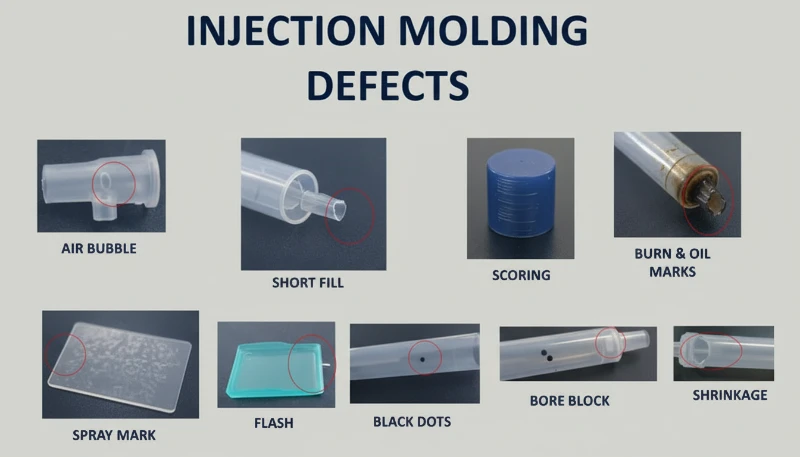
Zilverstrepen (ook gasstrepen genoemd) en bellen zijn oppervlakte- en interne defecten die worden veroorzaakt door gas dat tijdens het vullen van de holte in de smelt is opgesloten. Bij PC-spuitgieten zijn de vier gasbronnen waterdamp, meegevoerde lucht, thermisch ontledingsgas en oplosmiddelgas — waterdamp en ontledingsgas zijn verantwoordelijk voor de overgrote meerderheid van de gevallen.
Zilverstrepen ontstaan wanneer gas dat in de onder druk staande smelt is opgelost naar het productoppervlak ontsnapt doordat de holtedruk na het vullen daalt. Het ontsnappende gas laat kleine langgerekte belletjes achter die in het licht glinsteren en altijd in de stroomrichting van het materiaal liggen. Gewone bellen zijn daarentegen gasinsluitingen in de wanddikte, die vooral zichtbaar zijn in transparante PC-onderdelen. Vacuümbellen zijn anders: ze ontstaan niet door gas, maar door volumetrische krimp wanneer onvoldoende houddruk een holte in dikke secties achterlaat.
De gasbron achter zilverstrepen diagnosticeren
Om vast te stellen welk gas verantwoordelijk is, moet het defectpatroon worden geïnterpreteerd. Willekeurig verspreide oppervlaktebellen wijzen op waterdamp — de meest voorkomende oorzaak bij PC omdat het materiaal sterk hygroscopisch is. Fijne, dichte belclusters nabij de poort in een radiaal of waaiervormig patroon duiden op ingesloten lucht, doorgaans door een te hoge terugloopsnelheid van de schroef of onvoldoende tegendruk. Verkleuring naast de zilverstrepen wijst op ontledingsgas van oververhitte smelt. Het diagnoseproces is belangrijk omdat elke gasbron een andere oplossing vereist.
Voor door vocht veroorzaakte zilverstrepen is de oplossing eenvoudig: droog het materiaal 3–4 uur bij 120 °C met een ontvochtigingsdroger. Controleer de werking door vrij in de lucht te spuiten—de geëxtrudeerde smelt moet continu, glad en vrij van witte damp zijn. Verlaag bij luchtinsluiting de schroefsnelheid, verhoog de tegendruk en verleng de smelttijd tijdens de koelfase. Verlaag bij ontledingsgas de cilindertemperatuur sectie voor sectie, te beginnen bij het mondstuk, en controleer op te lange verblijftijden (te grote apparatuur gebruiken voor kleine onderdelen is een veelvoorkomende oorzaak).
Vacuümbellen vereisen een andere aanpak omdat ze door krimp ontstaan, niet door gas. Verhoog de nadruk en verleng de nadruktijd om meer materiaal in de dikke zone te persen. Plaats de poort bij de dikste wand voor goede drukoverdracht. Verhoog lokaal de matrijstemperatuur bij de holte om stolling te vertragen en krimp te compenseren. Bij transparante producten kan langzaam nakoelen in heet water vacuümbellen verder beperken.
"Een warmtebehandeling na het spuitgieten bij 120 C gedurende 2 uur kan de interne spanning in PC-onderdelen aanzienlijk verlagen."True
Een warmtebehandeling bij circa 120 C zorgt ervoor dat moleculaire ketensegmenten van PC weer beweeglijk worden en bevroren elastische vervorming ontspannen. Georiënteerde moleculen keren terug naar een willekeurige toestand, waardoor zowel oriëntatie- als temperatuurspanning afneemt. Dit is standaardpraktijk voor optische en spanningskritische PC-toepassingen.
"Vacuümbellen in PC-producten worden veroorzaakt door ingesloten lucht."False
Vacuümbellen worden feitelijk veroorzaakt door volumetrische krimp tijdens het afkoelen, niet door ingesloten lucht. Wanneer de nadruk onvoldoende is of de aanspuiting te vroeg bevriest, krimpt de nog gesmolten kern weg van de al gestolde huid, waardoor een holte ontstaat. De oplossing is een hogere nadruk en een langere nadruktijd, niet ontluchting.
Wat zijn vingerafdrukken en turbulentielijnen—en hoe kun je ze oplossen?
Vingerafdrukken en turbulentielijnen zijn stromingsdefecten die ontstaan doordat de viscositeit van de PC-smelt te hoog is ten opzichte van de injectiesnelheid en matrijstemperatuur. De smelt vult de holte schoksgewijs, waardoor golvende lijnen loodrecht op de stromingsrichting (vingerafdrukken) of radiale strepen bij de aanspuiting (turbulentie) achterblijven.
Vingerafdrukpatronen ontstaan wanneer injectiesnelheid en druk te laag zijn voor de smeltviscositeit. Het smeltfront raakt de koude matrijswand, stolt en krimpt. De hete smelt erachter duwt deze gekrompen huid vooruit, waarna ook die laag afkoelt en krimpt. Deze afwisselende voortgang en bevriezing vormt het golvende patroon van een vingerafdruk. Het effect is het zichtbaarst op grote, vlakke PC-oppervlakken, zoals displayafdekkingen of bedieningspanelen.
Turbulentiesporen zijn verwant maar afzonderlijk. Ze verschijnen als onregelmatige vloeilijnen vanuit de aanspuiting, doordat de smelt met hoge snelheid tegen de holtewand botst en over het koude oppervlak glijdt voordat een laminaire stroming ontstaat. Dit komt vooral voor als het aanspuitontwerp een abrupte snelheidsovergang veroorzaakt, bijvoorbeeld van een kleine aanspuiting naar een grote, dikke holte. Het kernverschil: vingerafdrukken lopen loodrecht op de stroming, turbulentielijnen parallel.
Beide defecten hebben dezelfde reeks oplossingen. Verhoog de temperatuur van de spuitmond en de voorste cilinderzone om de smeltviscositeit te verlagen — dit is de meest effectieve aanpassing. Verhoog de matrijstemperatuur, vooral op de plaats waar de markeringen optreden; voor PC-onderdelen waarbij het uiterlijk kritiek is, is een matrijstemperatuurregelaar ingesteld op 100–120 °C gebruikelijk. Verhoog de injectiesnelheid om het vulpatroon van stick-slip naar een continue stroming te verschuiven; met meertrapsinjectie kunt u de snelheid per sectie aanpassen en het probleemgebied aanpakken zonder elders bramen te veroorzaken. Vergroot aan de matrijszijde de aanspuitingen en kanalen om de stromingsweerstand te verlagen en zorg voor voldoende ontluchting en koudpropvangers.
Met 47 spuitgietmachines van 90T tot 1850T en MOLDFLOW-simulatie voor optimalisatie van aanspuitpunten en runners lossen we vloeilijnen doorgaans al in de DFM-fase op—voordat staal wordt verspaand. Simulatie detecteert snelheidsovergangen die turbulentiesporen veroorzaken, zodat het aanspuitpunt vóór de matrijsbouw kan worden herontworpen.
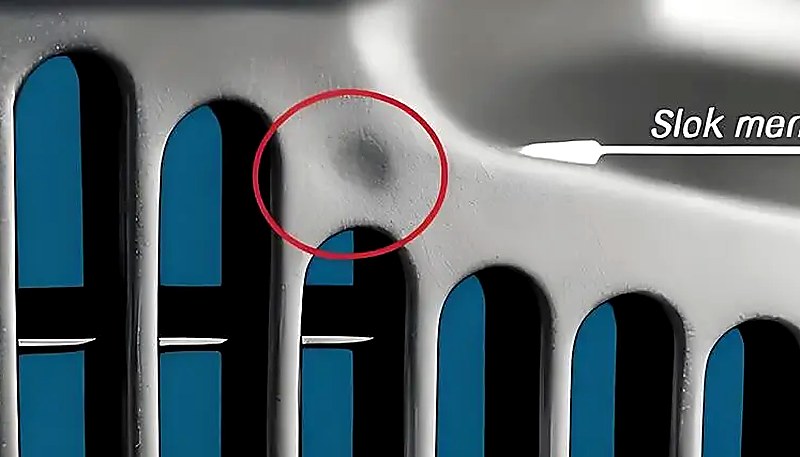
Hoe ontstaan koude materiaalplekken en hoe kunt u ze voorkomen?
Koudmateriaalvlekken zijn wazige, heldere of wormvormige markeringen bij de aanspuiting, veroorzaakt doordat gedeeltelijk gestolde smelt de matrijsholte binnendringt. Ze ontstaan wanneer het smeltfront bij de spuitmondpunt, het kanaal of de aanspuiting te veel warmte verliest voordat het vullen van de matrijsholte begint, of wanneer een te hoge nadruk reeds afgekoeld kanaalmateriaal in het onderdeel perst.
Er zijn twee afzonderlijke mechanismen. Het eerste is koud materiaal aan de voorzijde: de smelt bij nozzlepunt en runneringang koelt tussen cycli af doordat de nozzle de koude matrijsplaat raakt. Bij de injectiestart komt dit gekoelde materiaal als eerste in de holte. Op dunwandige onderdelen verspreidt het zich als rokerige of pasta-achtige troebele vlekken; op dikwandige onderdelen vormt het een gebogen, wormachtige naad. Het tweede mechanisme is koud materiaal door tegendruk: een te lange nadruktijd en hoge druk persen reeds afgekoeld materiaal uit runner en aanspuiting in het onderdeel, waardoor nabij de aanspuiting een kleine ronde glansplek ontstaat.
Preventie is eenvoudig, maar vereist aandacht voor details. Breng aan het einde van elk verdeelkanaal een koudpropvanger aan; deze vangt het voorste koude materiaal op voordat dit de matrijsholte binnendringt. Verhoog de spuitmondtemperatuur om warmteverlies bij de punt te beperken. Verhoog de matrijstemperatuur om het verschil tussen de smelt- en matrijsoppervlaktetemperatuur te verkleinen. Verlaag de injectiesnelheid aan het begin van het vullen om smeltbreuk bij de aanspuiting te voorkomen en verhoog de snelheid vervolgens voor het hoofdvultraject. Optimaliseer de positie, afmetingen en vorm van de aanspuiting om abrupte snelheidsovergangen te voorkomen. Verkort bij koude plekken tijdens de nadrukfase de nadruktijd en verlaag de nadruk tot het minimum dat nodig is voor maatvastheid. Zorg ook dat het materiaal grondig wordt gedroogd; restvocht in de koudprop kan het zichtbare defect verergeren.
Waarom Veroorzaakt Inwendige Spanning Scheuren in Transparante PC-producten?
Interne spanning in PC-producten bestaat uit ingevroren moleculaire oriëntatie en ongelijkmatige koelspanning. Dit kan kromtrekken, verminderde optische helderheid en vertraagde spanningsscheuren dagen of weken na het vormen veroorzaken—transparante PC-onderdelen zijn de kanarie in de kolenmijn.
Twee primaire mechanismen veroorzaken interne spanning. Oriëntatiespanning ontstaat wanneer polymeerketens tijdens het vloeien worden uitgerekt en vervolgens bevriezen voordat ze naar een willekeurige kluwenconfiguratie kunnen ontspannen. Een hogere injectiedruk, hogere injectiesnelheid en langere nadruktijd vergroten de oriëntatie doordat ze meer afschuiving op de smelt uitoefenen. Thermische spanning ontstaat door het grote temperatuurverschil tussen de hete smeltkern en de koude matrijswand. Omdat PC een hoge soortelijke warmtecapaciteit en een lage thermische geleidbaarheid heeft, stolt het oppervlak veel eerder dan de binnenzijde—waardoor aan de buitenzijde drukspanning en aan de binnenzijde trekspanning ontstaat.
Het praktische gevolg is dat een PC-onderdeel direct na het vormen perfect kan lijken, maar binnen enkele dagen microscheuren kan ontwikkelen, vooral bij blootstelling aan organische oplosmiddelen (reinigingsmiddelen, lijmen) of verhoogde temperaturen. In onze productieomgeving hebben wij transparante PC-lenzen tijdens assemblage zien scheuren doordat de operator een reinigingsdoekje op alcoholbasis gebruikte: de interne spanning zat al op de faalgrens en het oplosmiddel verlaagde die net genoeg om scheurvorming te initiëren.
Dankzij onze interne matrijzenmakerij (100+ matrijssets per maand) kunnen we aanspuitpositie, kanaalgeometrie en koelkanalen specifiek optimaliseren voor spanningsgevoelige PC-onderdelen. In combinatie met kwaliteitssystemen volgens ISO 9001 en ISO 13485 detecteren we interne spanningsproblemen tijdens de eerste-stukinspectie met gepolariseerdlichtanalyse.
"Analyse met gepolariseerd licht kan interne spanning in transparante PC-onderdelen detecteren voordat ze barsten."True
Onder gepolariseerd licht vertoont PC onder spanning dubbelbrekingspatronen die bevroren moleculaire oriëntatie en ongelijkmatige koelspanning zichtbaar maken. Met deze niet-destructieve inspectiemethode kunnen fabrieken spanningsproblemen tijdens de eerste-productinspectie detecteren, lang voordat onderdelen tijdens gebruik bezwijken.
"Gloeien na het spuitgieten bij 120 C vermindert interne spanningen in transparante PC-onderdelen."False
Gloeien bij 120 C vermindert inderdaad de interne spanning doordat molecuulketens zich kunnen ontspannen. Het is echter geen vervanging voor de juiste spuitgietparameters: het kan alleen ontstane spanning verminderen, niet volledig wegnemen. De effectiefste aanpak is spanning tijdens het spuitgieten te minimaliseren met de juiste temperatuur- en drukinstellingen en vervolgens gloeien te gebruiken als laatste kwaliteitsborgingsstap voor kritische componenten.
Het verminderen van inwendige spanning vereist een integrale aanpak. Verhoog de smelttemperatuur om de viscositeit en oriëntatie tijdens het stromen te verminderen. Verhoog de matrijstemperatuur voor een tragere, gelijkmatigere koeling, zodat georiënteerde moleculen tijd krijgen om te ontspannen. Verlaag de injectiedruk tot het minimum dat nodig is voor volledige vulling. Beperk de nadruktijd—overmatig naverdichten draagt sterk bij aan oriëntatiespanning. Gebruik een variabele injectiesnelheid: snel vullen om stromingsfouten te voorkomen en vervolgens langzaam naverdichten om moleculaire uitlijning te beperken. Verwarm bij onderdelen met metalen inzetstukken de inzetstukken voor tot circa 200 °C om het verschil in thermische uitzetting te verkleinen. Ten slotte zorgt een warmtebehandeling na het spuitgieten bij 120 °C gedurende circa 2 uur ervoor dat ketensegmenten weer beweeglijk worden en bevroren vervorming ontspannen—dit is standaardpraktijk voor PC-componenten van optische kwaliteit.
"Door de injectiedruk te verlagen tot het minimum dat nodig is om de caviteit te vullen, wordt interne spanning in PC-onderdelen voorkomen."True
Een te hoge injectiedruk verhoogt de moleculaire oriëntatie en afschuifspanning, wat de interne spanning en het risico op kromtrekken en spanningsscheuren vergroot. De minimale druk die volledige vulling bereikt, gecombineerd met een toereikende smelttemperatuur, levert PC-onderdelen met de laagste spanning op.
"Een verhoging van de matrijstemperatuur tot boven 100 °C verbetert altijd de oppervlakteafwerking van PC-onderdelen."False
Hoewel een hogere matrijstemperatuur vloeisporen kan verminderen en de oppervlakteglans kan verbeteren, kan langdurig gebruik boven 100 °C leiden tot buitensporig lange koeltijden en thermische degradatie van de PC-hars nabij de aanspuiting. Het optimale matrijstemperatuurbereik voor PC ligt doorgaans tussen 80–100 °C en biedt een evenwicht tussen afwerkingskwaliteit, cyclusefficiëntie en onderdeelstabiliteit.
Welke Verwerkingsparameters Moet U Bewaken om PC-defecten te Minimaliseren?
Voor het voorkomen van defecten in PC zijn zes parameters het belangrijkst: droging, cilindertemperatuur, injectiesnelheid, nadruk en matrijstemperatuur. Een correcte instelling voorkomt verreweg de meeste problemen met verkleuring, zilverstrepen, luchtbellen, vloeisporen en interne spanning.
Drogen is niet onderhandelbaar. PC vereist een vochtgehalte lager dan 0,02%3. Dit wordt bereikt door het materiaal 3–4 uur bij 120 °C in een ontvochtigingsdroger te drogen. Langer dan 10 uur drogen kan materiaalafbraak veroorzaken, vooral bij vlamvertragende kwaliteiten. Controleer vóór de productie de doeltreffendheid van het drogen door materiaal vrij uit te spuiten. Alleen al deze stap voorkomt de meeste zilverstrepen en oppervlaktebellen.
De cilindertemperatuur moet als profiel worden ingesteld, niet als één waarde. Voor zuiver PC is een typisch profiel 250 °C (toevoer) → 270 °C (compressie) → 285 °C (dosering) → 290 °C (spuitmond). Elke gemodificeerde grade heeft een eigen venster—PC/ABS circa 20 °C lager, PC/PBT vergelijkbaar of iets hoger. Begin onderaan het aanbevolen bereik en verhoog alleen bij vloeisporen of onvolledige vulling. Stel nooit alle zones gelijk in; een correcte gradiënt zorgt voor geleidelijke plastificering zonder voortijdig smelten in de toevoerzone, wat luchtafvoer blokkeert, of onvoldoende voorverwarming, wat lucht in de smelt insluit.
| Parameterwaarde | Aanbevolen bereik (zuiver PC) | Voorkomen defecten |
|---|---|---|
| Droogtemperatuur | 120 C, 3-4 h, ontvochtigd | Zilverstrepen, oppervlaktebellen |
| Cilindertemperatuur (spuitmond) | 280-295 C | Korte shots, stroomsporen |
| Schimmeltemperatuur | 80-120 C | Vingerafdrukmarkeringen, interne spanning |
| Injectiesnelheid | Meerfasig: snel vullen, langzaam pakken | Turbulentiemerken, oververpakking |
| Houddruk | 60-80% van inspuitdruk | Vacuümbellen, zinkmarkeringen |
| Houdtijd | Tot poort bevriezing (3-8 s) | Krimp holtes, dimensionale afwijking |
Smelttijd verdient speciale aandacht. Het gebruik van te grote apparatuur voor kleine PC-onderdelen is een veelgemaakte fout - de grote verhouding tussen schotgewicht en cilindercapaciteit betekent dat materiaal veel te lang op verwerkingstemperatuur blijft, waardoor thermische schade ontstaat. Als vuistregel moet het schotgewicht minimaal 30-40% van de cilindercapaciteit zijn. Als u kleine onderdelen op grote machines moet produceren, gebruik dan een schroef met kleinere diameter of accepteer dat regelmatig spoelen en kleurwisselingen onvermijdelijk zijn. Ten slotte is matrixtemperatuur belangrijker voor PC dan voor de meeste kunststoffen. Koude matrijzen (onder 80 °C) versnellen de huidstolling, verhogen de interne spanning en versterken stromingsmerken. Voor transparante of uiterlijk-kritische onderdelen is een matrixtemperatuur van 100-120 °C met een temperatuurregelaar de industriestandaard.
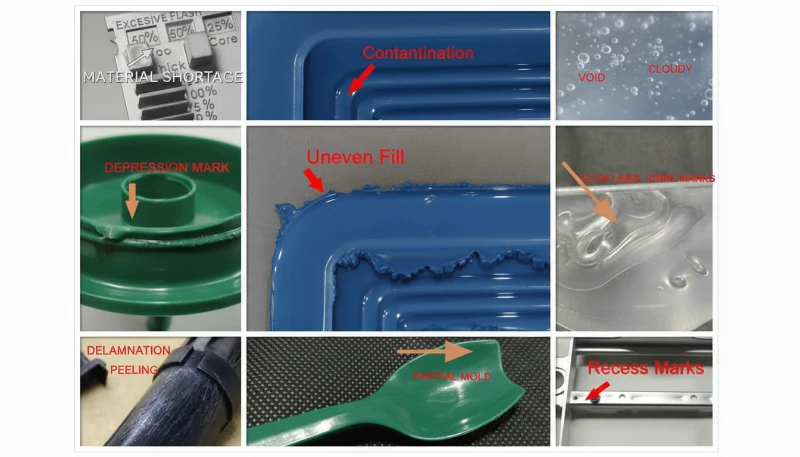
Wat zijn de meest voorkomende vragen over PC-spuitgietdefecten?
Veelgestelde vragen
Wat is de ideale droogtemperatuur voor polycarbonaat voor spuitgieten?
Polycarbonaat moet worden gedroogd op 120°C met behulp van een ontvochtigingsdroger gedurende 3 tot 4 uur om een vochtgehalte onder 0,02% te bereiken vóór het spuitgieten. Dit is een niet-onderhandelbare vereiste voor succesvolle PC-verwerking—het overslaan of verkorten van de droogstap is de meest voorkomende oorzaak van oppervlaktedefecten. Drogen langer dan 10 uur brengt het risico van materiaalafbraak met zich mee, vooral voor vlamvertragende kwaliteiten die thermisch gevoeliger zijn. Verifieer altijd de effectiviteit met een luchtschottest voordat de productie begint—de geëxtrudeerde smelt moet continu, glad en vrij van witte damp zijn. Het gebruik van een standaard trechterdroger zonder ontvochtiging is onvoldoende voor PC.
Wat veroorzaakt zwarte vlekken in polycarbonaat spuitgegoten onderdelen?
Zwarte vlekken in PC-spuitgegoten onderdelen worden meestal veroorzaakt door verkoolt materiaal dat vastzit in dode zones van het plastificeersysteem - zoals speling in de terugslagklep van de schroef, spuitmondpunt-interfaces of beschadigingen aan de cilinderwand. Het vastzittende materiaal degradeert na verloop van tijd en komt af en toe los in de smeltstroom, waardoor donkere vlekken ontstaan die willekeurig over verschillende schoten verschijnen en dan verdwijnen. Regelmatige demontage en reiniging van het plastificeersysteem, gecombineerd met een goede cilinderspoelprocedure met PS of PE voor en na elke productierun, voorkomt dit probleem effectief. Laat PC-materiaal nooit op verwerkingstemperatuur zitten tijdens langdurige machinepauzes.
Wat is de aanbevolen spuitgiettemperatuur voor polycarbonaat?
Voor zuiver polycarbonaat is het aanbevolen cilindertemperatuurprofiel 250 °C (voedingszone) tot 285-295 °C (spuitmond), met een matrixtemperatuur van 80-120 °C. Het belangrijkste is om een temperatuurgradiënt over de zones te gebruiken in plaats van een enkele instelwaarde, om geleidelijke plastificering te garanderen zonder voortijdig smelten in de voedingszone. Gemodificeerde kwaliteiten hebben verschillende vensters: PC/ABS-mengsels lopen ongeveer 20 °C lager, terwijl PC/PBT-mengsels vergelijkbare of iets hogere temperaturen kunnen vereisen. Begin altijd aan de onderkant van het aanbevolen bereik en verhoog alleen als stromingsdefecten optreden.
Hoe voorkom je interne spanning in transparante PC-producten?
Het voorkomen van interne spanning in transparante PC-onderdelen vereist een veelzijdige aanpak. Gebruik een hogere smelttemperatuur om de viscositeit en moleculaire oriëntatie tijdens het stromen te verminderen. Verhoog de matrijstemperatuur naar 100-120°C voor een langzamere en gelijkmatigere afkoeling, waardoor georiënteerde moleculen de tijd krijgen om te ontspannen. Minimaliseer de inspuit- en napersdruk tot het minimum dat nodig is voor volledige vulling. Gebruik variabele-snelheid inspuiting met snel vullen gevolgd door langzaam napersen. Nabewerking door warmtebehandeling op 120°C gedurende ongeveer 2 uur is standaardpraktijk voor optische kwaliteitscomponenten om bevroren moleculaire oriëntatie te laten ontspannen.
Waarom verschijnen er zilveren strepen op PC-spuitgegoten onderdelen?
Zilverachtige strepen op PC-onderdelen worden veroorzaakt door gas dat tijdens of na het vullen van de holte naar het productoppervlak ontsnapt, waardoor kleine langwerpige belletjes achterblijven die onder licht glinsteren. De meest voorkomende gasbron is waterdamp van onvoldoende gedroogd materiaal—dit verklaart het merendeel van de gevallen. Thermisch ontledingsgas door overmatige cilindertemperatuur is de op één na meest voorkomende oorzaak. Fijne, dichte zilverachtige strepen die zich concentreren nabij de ingang in een radiaal patroon wijzen op ingesloten lucht door overmatige schroefsnelheid of onvoldoende tegendruk. Correct drogen op 120°C gedurende 3-4 uur elimineert de meeste vochtgerelateerde gevallen.
Kunnen spuitgietdefecten bij polycarbonaat worden verholpen door alleen de machineparameters aan te passen?
Veel PC-defecten—met name zilverachtige strepen, verkleuring en stroommarkeringen—kunnen worden opgelost door alleen machineparameteraanpassingen, voornamelijk droogcondities, cilindertemperatuurprofiel en optimalisatie van inspuitsnelheid. Terugkerende defecten zoals hardnekkige koude materiaalplekken of turbulentiemarkeringen vereisen echter vaak matrijsaanpassingen zoals vergrote ingangen, extra ontluchtingskanalen of koude-slugputten. Vermindering van interne spanning kan ook ontwerpwijzigingen vereisen voor wanddikte-uniformiteit en voorverwarmen van inserts. De meest effectieve aanpak combineert parameteroptimalisatie met een correcte matrijskonstructie vanaf het begin.
Wat is het verschil tussen luchtbellen en vacuümbellen in PC-onderdelen?
Bellen in PC-onderdelen zijn met gas gevulde holtes veroorzaakt door waterdamp, ingesloten lucht of thermisch ontledingsgas dat tijdens het vullen van de holte wordt ingesloten. Ze zijn direct na het openen van de matrijs aanwezig en groeien niet in de loop van de tijd. Vacuümbellen zijn fundamenteel anders—het zijn krimp-geïnduceerde holtes die tijdens het afkoelen ontstaan wanneer de napersdruk onvoldoende is om volumetrische krimp in dikke secties te compenseren. Vacuümbellen kunnen verschijnen of groter worden na het uitnemen, terwijl het binnenwerk verder afkoelt en krimpt. Het diagnostische verschil bepaalt of u het gasgehalte aanpakt via drogen en temperatuur, of het napersen via napersdruk.
Hoe kunt u expertondersteuning krijgen voor uw PC-spuitgietproject?
ZetarMold is de productiepartner voor polycarbonaat spuitgietprojecten die nul defecten vereisen. Ons technische team brengt 20+ jaar ervaring met het verwerken van PC en 400+ materialen mee naar elk project, van materiaaldroging en temperatuurprofilering tot poortontwerp en spanningsverlichting. Onze interne gereedschapsfaciliteit, MOLDFLOW-simulatiecapaciteit en ISO-gecertificeerde kwaliteitssystemen zorgen ervoor dat uw PC-onderdelen vanaf de DFM-fase ontworpen zijn voor kwaliteit.
Een offerte nodig voor uw project voor het spuitgieten van polycarbonaat? Ontvang concurrerende prijzen, DFM-feedback en een productieplanning van ons engineeringteam. Vraag vandaag nog een gratis offerte aan of lees onze Complete gids voor spuitgieten voor een uitgebreid overzicht van het proces.
Smeltviscositeit blijft hoog: dit betekent dat de smeltviscositeit van PC gevoeliger is voor temperatuurveranderingen dan voor de afschuifsnelheid en zich tijdens de verwerking ongeveer als een newtoniaanse vloeistof gedraagt. ↩
Glasovergang van PC: polycarbonaat heeft een glasovergangstemperatuur (Tg) van ongeveer 147–150 C, die de minimale temperatuur voor thermisch vasthouden bepaalt. ↩
Vochtgehalte lager dan 0,02%: PC moet vóór verwerking een vochtgehalte van minder dan 0,02% (200 ppm) hebben om hydrolytische afbraak bij vormtemperaturen te voorkomen. ↩