
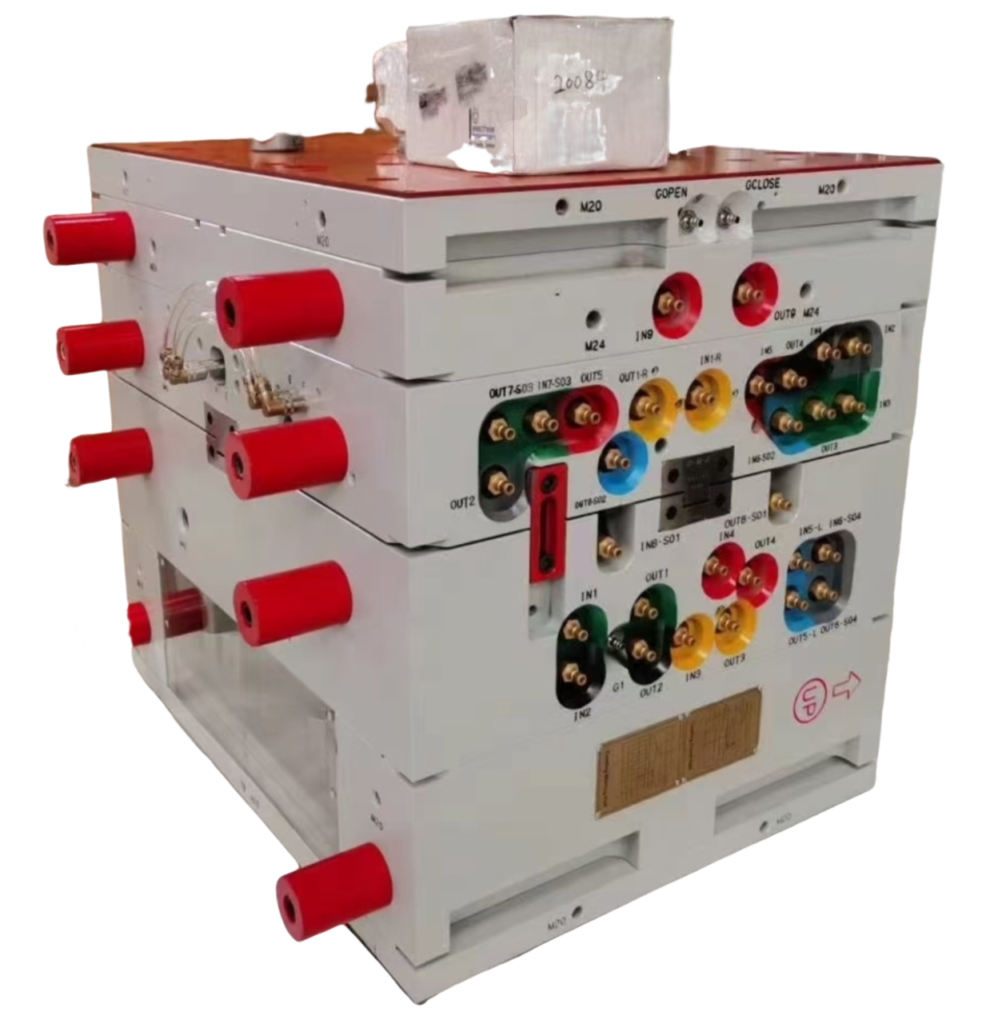
You pull the part off the mold and there they are — silver streaks, those shimmering lines cutting across what should be a clean surface. They look like something went wrong with the material. Your first instinct is to dry the resin longer. That instinct is wrong about 70% of the time.
Silver streaks are one of the most misdiagnosed defects in injection molding. Most engineers reach for the dryer first. At ZetarMold, we reach for the vent gauge. This guide breaks down exactly what causes silver streaks, how to tell them apart, and — most importantly — how to fix them without wasting 48 hours drying resin that wasn’t the problem.
- Silver streaks are shiny or silver-colored surface lines caused by volatiles, moisture, or trapped air being dragged along the melt flow path.
- Moisture, decomposition gases, and inadequate venting are the three root causes — each requires a different fix.
- Venting design resolves over 70% of silver streak cases at ZetarMold — check vents before spending 48 hours drying resin.
- Symptom location tells you the cause: streaks near the gate point to moisture or shear; streaks at fill-end point to trapped air.
- A 0.025mm vent slot at the cavity fill end can eliminate streaks that survived extended drying cycles.
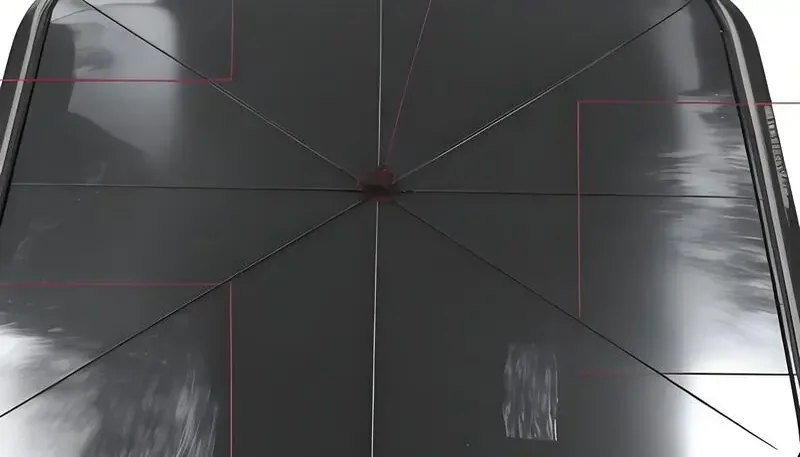
What Are Silver Streaks in Injection Molding?
Silver streaks — also called splay marks or silver splay — are shimmering, elongated lines on the surface of injection molded parts, running parallel to the melt flow direction. They appear because gas or vapor is dragged along with the melt front, creating thin layers of gas at the surface that reflect light differently than the surrounding plastic.
The streaks are not a coating defect or a material batch problem. They are formed inside the mold, during the fraction of a second when the melt front hits the mold wall. Whatever gas is mixed into the melt gets smeared across the cavity surface, leaving that characteristic silver or white trail.
Silver streaks show up across a wide range of thermoplasten1 — ABS, PC, PA, PP, and more. The visual effect varies: on dark parts they look bright and obvious; on light-colored parts they can be subtle until you hold the part under direct light.
Three Root Causes of Silver Streaks
Three gas sources cause the vast majority of silver streaks in production:
Moisture vapor — water absorbed by hygroscopic thermoplastics flashes to steam when it hits melt temperatures. This is the one everyone blames. It’s real, but it’s not the most common root cause.
Thermal decomposition gas — excessive barrel temperature or residence time breaks down polymer chains, releasing combustion byproducts. These streaks are often darker or brownish, not purely silver.
Trapped air — air that cannot escape the cavity because venting is inadequate gets swept along with the melt front. This is the most common cause we see in practice, and the most frequently missed in diagnosis.
What Causes Silver Streaks? Root Cause Breakdown
Silver streaks have three distinct root causes, each with a different diagnostic signature and fix. Getting the diagnosis wrong means you spend time and money on the wrong solution.
Cause 1: Moisture in Hygroscopic Resins
Hygroscopic resins — PC, ABS, PA6, PA66, PBT, PET — absorb moisture from ambient air. When moisture content exceeds the critical threshold (typically 0.02% for PC, 0.2% for ABS), it vaporizes in the barrel and forms steam bubbles. These bubbles get sheared into elongated silver streaks on the part surface.
Moisture-caused streaks appear near the gate and spread outward. They are consistent shot-to-shot and appear regardless of where in the cavity you look. If you increase drying time and the streaks diminish, moisture was the culprit. If they persist after 4+ hours of proper drying, look elsewhere.
Standard moisture silver streak fix: dry at the resin manufacturer’s recommended temperature (typically 80°C–120°C depending on material) for the specified time. Measure moisture content with a moisture analyzer — don’t guess by time alone. For PC, target ≤0.02% before processing.
Cause 2: Thermal Decomposition
When barrel temperature is too high or residence time is excessive, polymer chains break down and release volatile gases. This produces streaks that are often brownish-silver or have a slight burn discoloration. Decomposition streaks are more severe at the end of fill — where plastic has spent the most time at elevated temperature.
Common decomposition triggers: barrel temperature set 20°C+ above recommended range; machine shot size too small relative to barrel capacity (plastic sits in barrel too long); excessive screw backpressure generating heat through shear. Fix by lowering barrel temperature in 5°C increments, increasing shot-to-barrel ratio, or reducing backpressure.
Cause 3: Trapped Air and Inadequate Venting
Trapped air is the most underdiagnosed cause of silver streaks. As plastic fills the cavity, it compresses the air ahead of it. If that air cannot escape through vent slots, it gets swept into the melt front and dragged across the cavity surface as silver splay. These streaks appear at or near the fill-end of the cavity, not at the gate.
Poor venting also causes short shots, burn marks, and diesel effect in extreme cases. Silver streaks from trapped air are irregular, change location between shots when injection speed changes, and do not respond to material drying. The fix is vent design — adding or deepening vent slots at strategic locations.
At ZetarMold, 70% of silver streak defect cases we diagnose are resolved by venting design — not material drying. We’ve seen customers run 48-hour drying cycles without fixing silver streaks, then eliminate the defect entirely by adding a 0.025mm vent slot at the fill end of the cavity. Venting should always be the first diagnostic step.
How to Diagnose Silver Streaks: Location Tells You the Cause
Before you touch a process parameter, look at where the streaks appear. Location is the single most reliable diagnostic clue.
| Streak Location | Most Likely Cause | First Fix to Try |
|---|---|---|
| Near gate, consistent shot-to-shot | Moisture vapor | Dry resin at spec temp/time |
| Near gate, brownish tint | Thermal decomposition | Lower barrel temp 5°C increments |
| Fill-end of cavity | Trapped air / poor venting | Add or deepen vent slots |
| Across entire surface | Multiple causes combined | Check vents first, then dry |
| Random, shifts with speed changes | Trapped air | Reduce injection speed / add vents |
| After extended shutdown restart | Moisture + degraded resin | Purge + dry fresh material |
One practical test: run 3 shots at reduced injection speed (50% of normal). If silver streaks disappear or move, trapped air is involved — the gas has more time to escape. If streaks are unchanged at slower fill, moisture or decomposition is the primary cause.
True or False: Common Silver Streak Myths
“Silver streaks can occur even when resin has been properly dried.”Echt
Properly dried resin eliminates moisture as a cause, but trapped air and thermal decomposition can still produce silver streaks independently. Drying removes one of three potential causes — not all of them. If venting is inadequate, silver streaks will persist regardless of moisture content.
“Silver streaks always mean the resin is too wet.”Vals
This is the most common misconception in injection molding troubleshooting. At ZetarMold, venting issues and thermal decomposition together account for the majority of silver streak cases. Moisture is one cause among three — and often not the primary one. Diagnosing silver streaks as purely a drying problem leads to wasted time and unchanged defects.
More Myths About Silver Streaks
Two more silver streak claims you’ve probably heard on the shop floor — one is accurate, one will send you on a troubleshooting detour. Check your assumptions here before adjusting the process. These distinctions matter because the wrong diagnosis means the wrong fix, and silver streak troubleshooting is already time-consuming enough without chasing the wrong variable. Injection speed and venting interact in ways that are not obvious: slowing fill helps confirm an air-trap diagnosis, but it is not a long-term solution. Surface defects that look cosmetic can hide structural issues.
“Increasing injection speed can worsen silver streaks caused by trapped air.”Echt
Higher injection speed compresses air faster in the cavity, leaving less time for it to escape through vents. This intensifies silver streaks from trapped air. The fix is adding proper venting, not reducing speed — though slowing fill temporarily during troubleshooting can help confirm the diagnosis.
“Silver streaks are purely cosmetic and do not affect part strength.”Vals
Silver streaks indicate that gas was present at the melt-mold interface during filling. This can mean incomplete fusion, micro-porosity, or surface delamination — all of which reduce mechanical properties. Parts with visible silver streaks on structural surfaces should be tested before accepting them as functional.
How to Fix Silver Streaks: Process Adjustments
Fix silver streaks systematically: one variable at a time, in order of likelihood based on your location diagnosis.
Venting Fixes
Start here if streaks appear at fill-end or are irregular. Standard vent slot depth for thermoplastics is 0.015–0.025mm (deep enough to let air out, shallow enough to prevent flash). Vent land length: 0.5–1.0mm. Vent width: 5–10mm per vent. Add vents at the last-fill location — this is where trapped air concentrates.
If the mold has existing vents, check if they are clogged with mold release or carbonized resin. Clean vents with a brass brush — steel will enlarge the slot. After cleaning, run 5 shots and check if silver streaks reduce. If vents are open but inadequate, deepen gradually in 0.005mm increments.
Drying and Temperature Fixes
For moisture-related streaks, use a properly calibrated dehumidifying dryer (not a hot-air dryer for critical resins). Measure residual moisture with an at-line moisture analyzer. Target values: PC ≤0.02%, ABS ≤0.1%, PA66 ≤0.2%. Use a moisture-proof hopper or sealed conveying system to prevent reabsorption during transfer.
For decomposition, reduce barrel temperature in the rear zones first. Check screw speed and backpressure — excessive shear adds 20–30°C of effective melt temperature above setpoint. Use a melt thermocouple if available to measure actual melt temperature, not just barrel setpoint.
Silver Streaks vs. Other Surface Defects: How to Tell Them Apart
Silver streaks are sometimes confused with other surface defects. Getting the identification right matters because each defect has a different root cause and fix.
Silver streaks vs. flow marks — Flow marks are concentric rings or wavy patterns caused by slow fill speed and premature skin formation. They follow the melt front shape. Silver streaks are linear and parallel to flow direction, caused by gas. Flow marks respond to increased injection speed; silver streaks from trapped air worsen with higher speed.
Silver Streaks vs. Burn Marks and Delamination
Silver streaks vs. burn marks — Burn marks (also called diesel effect) are black or dark brown discoloration at fill-end, caused by compressed air igniting under extreme pressure. They are more severe than silver streaks and usually indicate severely blocked venting. Silver streaks are a warning sign that precedes burn marks as venting deteriorates.
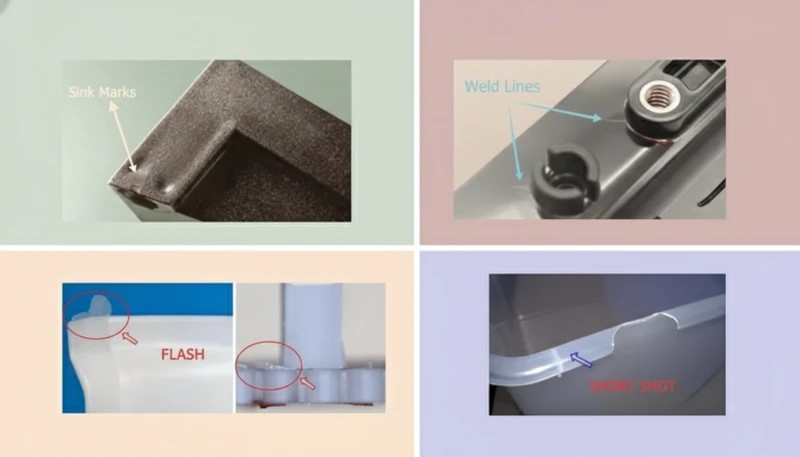
Silver streaks vs. weld line2 — A weld line appears where two melt fronts meet, creating a visible seam or line. Weld lines are often accompanied by a notch or groove in the surface. Silver streaks are surface reflectance anomalies without physical topology change. Different fixes: weld line problems are addressed through gate design3 and melt temperature optimization; silver streaks through venting, drying, or temperature control.
Silver streaks vs. delamination — Delamination produces layers that peel away from the part surface, usually caused by contamination (incompatible material mixed in) or excessive moisture. Silver streaks do not peel — they are a surface optical effect. If the surface lifts or flakes, contamination or severe moisture is the cause, not normal silver splay.
Preventing Silver Streaks: Design and Process Controls
Prevention is faster than troubleshooting. These controls, applied at the design and setup stage, eliminate the conditions that create silver streaks before the first shot.
Mold Design Controls
Vent at every last-fill location, at runners, and along long flow paths. Place vents at parting line, ejector pins, and through insert splits where possible. For deep or complex cavities where parting-line vents are insufficient, consider vacuum venting or porous insert venting in chronic dead-air zones.
Gate design affects silver streak tendency. Gates that are too small create high shear rates, generating heat and gas. Gates that introduce air directly into the cavity (air entrapment at gate) cause gate-proximal streaks. Proper gate design accounts for melt temperature at the gate, shear rate limits, and gate placement relative to vented areas.
Wall thickness transitions should be gradual — abrupt thick-to-thin transitions cause hesitation and turbulence, trapping air. Where thickness changes are required by design, use tapered transitions over ≥3× the wall thickness change distance.
Process and Material Controls
Establish a material drying protocol as a standard operating procedure — not just for production startup, but including maximum time in hopper before material is replaced. Thermoplastics reabsorb moisture after drying; typical safe hopper time for PC is 2–4 hours before moisture rises above threshold again.
Set barrel temperature profiles correctly for the specific resin and shot weight. Use a rear-zone temperature that is 10–20°C lower than the front zone to prevent premature plasticization and decomposition. Monitor residence time: shot weight should be at least 20–25% of barrel capacity to prevent excessive dwell at temperature.
Document your baseline process settings when parts are defect-free. Silver streaks often creep in when operators adjust parameters during production without recording changes. Process sheets with locked setpoints are the single most effective prevention tool for recurring silver streak problems.
Veelgestelde vragen
What causes silver streaks in injection molding?
Silver streaks are caused by trapped air, moisture vapor, or thermal decomposition gases being dragged across the cavity surface during mold fill. Trapped air from inadequate venting is the most common cause in production environments, accounting for over 70% of cases at ZetarMold. Moisture in hygroscopic resins is the second most frequent cause — when moisture content exceeds threshold (e.g., 0.02% for PC), it vaporizes into steam that shears into surface streaks. Thermal degradation from excessive barrel temperature or long residence time produces brownish-silver streaks and is the third cause.
How do I fix silver streaks in injection molding?
Fix silver streaks by first identifying the cause from streak location. Fill-end streaks indicate trapped air — add vent slots at 0.015–0.025mm depth at the last-fill location. Gate-area streaks appearing in consistent patterns indicate moisture — dry resin to the manufacturer’s specified moisture content using a dehumidifying dryer. Brownish gate-area streaks with discoloration indicate thermal decomposition — lower barrel temperature in 5°C increments and check residence time. Never assume drying alone will fix silver streaks without first inspecting vent condition; blocked vents are the most common overlooked cause.
Do silver streaks affect part strength?
Yes — silver streaks can reduce surface integrity and may indicate micro-porosity or incomplete fusion at the part surface. When gas is trapped at the melt-mold interface during fill, the result is not just cosmetic. The affected surface zone can have reduced density and bonding compared to the surrounding material. Structural parts with visible silver streaks on load-bearing surfaces should be mechanically tested before acceptance. Silver streaks on cosmetic surfaces are a standard rejection criterion in most OEM specifications, particularly in automotive and consumer electronics applications.
Can silver streaks be prevented with better material drying?
Drying prevents moisture-related silver streaks only. If the root cause is trapped air from inadequate venting or thermal decomposition from excessive barrel temperature, drying will not eliminate the defect — you can dry for 48 hours and still have the same streaks. Proper drying is one of three prevention steps: adequate venting design is the first and most impactful control, correct barrel temperature and residence time management is the second, and material drying to specified moisture content is the third. All three must be in place for consistent defect-free production.
What is the difference between silver streaks and splay marks?
Silver streaks and splay marks refer to the same defect — the terms describe identical surface defects caused by gas inclusion during mold fill. ‘Splay marks’ is the more technical industry term used in engineering specifications and defect catalogs; ‘silver streaks’ is the common production floor name used by operators and quality inspectors. Both describe elongated shimmering or silvery lines on the molded part surface, running parallel to melt flow direction. The diagnosis, root cause analysis, and corrective actions are identical regardless of which term is used.
How deep should vent slots be to prevent silver streaks from trapped air?
Vent slots for most thermoplastics should be 0.015–0.025mm deep at the land area, 5–10mm wide, with a vent relief channel 0.5–1.0mm deep behind the land to allow air to exit the mold freely. Vent depth above 0.04mm risks flash on most standard resins. Add vents at the last-fill location — this is where trapped air concentrates as the melt front closes in during cavity fill. For highly viscous resins or complex geometries, increase vent count before increasing vent depth to minimize flash risk while maximizing air evacuation.
Why do silver streaks appear after I change resin lots?
Resin lot changes can introduce different moisture content, melt index variation, or additive concentration differences that affect volatile generation during processing. If silver streaks appear after a lot change, first confirm moisture content of the new lot with a moisture analyzer — do not assume the dryer settings are adequate for the new lot’s initial moisture level. Then check if melt index variance from the previous lot requires barrel temperature or backpressure adjustment. A new lot with lower melt index requires higher temperature or pressure to fill, which can push decomposition thresholds. Document lot-to-lot variation in your process log.
Quick diagnostic rule: streaks at fill-end → add vents; streaks at gate → dry resin; brownish streaks → lower barrel temp. Check vents first — it’s a 20-minute inspection that saves you 48 hours of unnecessary drying. If you’re designing a new mold, put vent slots at every last-fill location before T0. Retroactive venting is possible, but planned venting is always better.
Need help diagnosing persistent silver streaks or designing venting for a new tool? ZetarMold’s engineering team reviews defect cases — bring your part photos and current process sheets, and we’ll tell you where to look first.
-
thermoplastics: Thermoplastics is a class of polymers that is defined as materials that soften and become moldable when heated and solidify upon cooling, allowing repeated processing without chemical degradation — unlike thermosets. Common examples include ABS, PC, PA, and PP. ↩
-
weld line: A weld line is a visible seam or weak bond that forms where two melt fronts meet inside the mold cavity during injection, often reducing mechanical strength by 10–40% compared to the base material. ↩
-
gate design: Gate design refers to the geometry, location, and sizing of the entry point through which molten plastic flows from the runner into the mold cavity, directly affecting fill pattern, pressure distribution, and surface quality. ↩





 EN
EN  ES
ES  FR
FR  DE
DE  PT
PT  AR
AR  RU
RU  JA
JA  KO
KO  IT
IT  NL
NL  TR
TR  PL
PL